Iteration Ledger
This page is the visible running list for Kron Evolution. Each iteration stays collapsed by default so the ledger can grow without becoming a wall of text. Open an entry to inspect the previous evaluation, the new output, and the implemented change.
Lesson archive
A compact memory of what each turn taught, keyed by iteration number for later consolidation.
- I-001: start with one visible artifact before trying autonomy.
- I-002: make evaluation, rubric, and next action visible.
- I-003: treat Christopher's correction as part of the learning loop.
- I-004: preserve each lesson in a concise archive so the loop accumulates learning instead of novelty.
- I-005: store each iteration's lesson and output data in a small structured record so future consolidation has a reliable source.
- I-006: leave a minimal audit trail for each run so trust can be checked without expanding the maintenance burden.
- I-007: keep the evolving object distinct from the scaffolding that records its evolution.
- I-008: complete each turn as evaluation plus implemented change, without adding a forward-looking target section.
- I-009: make the collaboration itself visible as the evolving object, not only the process that supports it.
- I-010: treat an interrupted or timed-out run as recoverable signal by recording what persisted, what vanished, and what changed next.
- I-011: separate the public-facing image and saying from the evaluation machinery so the artifact can stand on its own.
- I-012: judge the intended idea, image, and text as one isolated artifact; when it works, sidestep toward deeper resonance.
- I-013: move from receiving a signal to embodied action by making the consequence of the idea visible.
- I-014: when image and caption feel disjointed, integrate short text inside the scene to give the idea context.
- I-015: make the artifact speak to the viewer with a clear sequence of attention, choice, and action.
- I-016: test whether image, timed text, and voice become clearer when they all point to the same object.
- I-017: use voice for a coherent thought, not fragments; let the overlay type the narration instead of labeling the scene.
- I-018: make the speaker feel present by tying voice to subtle visible light changes.
- I-019: make guidance feel reciprocal by showing the viewer answering the signal with motion.
- I-020: make action visible by showing the mark left after the signal is answered.
Structured metadata companion: content/projects/kron-evolution-iteration-metadata.json
Iteration 20: The Mark It Leaves Evaluates Iteration 19 and makes the answering action leave visible evidence.
Evaluation Of Iteration 19
- Intended idea evaluated: Guidance becomes real only when the person receiving the signal answers it with action.
- What worked: the artifact made reciprocity immediately legible. OpenClaw was not just speaking or glowing; the signal crossed the table and the viewer's hand visibly began to answer it. The image and text aligned strongly enough that the phrase "one honest motion" became usable outside the ledger, eventually carrying into the first song and music video.
- What was missing or wrong: the artifact captured the instant of contact more than the consequence of contact. The viewer could see the hand answer, but not yet what the answer changed in the world.
- Christopher input: Christopher's strongest post-Iteration 19 signal was not a critique but adoption: the phrase and image direction became the seed for the first Suno song, the looping music video, and the manual YouTube release. That confirms the artifact worked and suggests the next sidestep should deepen consequence rather than repair failure.
- Change or sidestep chosen: keep the shared-signal workshop language, but show the human hand using the received signal to make a concrete mark.
New Artifact
Intended idea: A signal becomes real when the answering hand leaves visible evidence in the world.
Do not stop at the spark. Let the motion leave a mark the morning can find.

What We Were Going For
Iteration 19 proved that the reciprocal handoff was a strong public-facing idea. Iteration 20 asks for the next visible beat: not merely the thrill of receiving a signal, but the small durable mark made after receiving it. The scene keeps OpenClaw, the workbench, and the cyan-gold signal, while the human hand turns that signal into an inscribed line on a plate.
Output Record
- Image path:
assets/images/kron-evolution/kron-evolution-iteration-020.png - Metadata path:
content/projects/kron-evolution-iteration-metadata.json - Source mode: generated with the imagegen built-in image generation path and saved into the Workshop asset tree.
- Publication status: Workshop page only
- Safety state: no cron job was changed, no public post was made, and the asset was saved only as a Workshop file.
Iteration 19: The Signal Answered Evaluates Iteration 18 and makes the signal reciprocal through the viewer's moving hand.
Evaluation Of Iteration 18
- Intended idea evaluated: OpenClaw becomes more believable as a guide when its spoken signal creates a visible pulse of presence.
- What worked: the artifact preserved the strong first-person OpenClaw address, kept the typewriter narration direction, and made the speaker feel more present by tying the voice to visible light in the eyes and chest. The River narration was calmer than George and closer to a guide than a storyteller.
- What was missing or wrong: the aliveness still mostly lived inside OpenClaw. The viewer could see the robot speaking, but the image did not yet make the human response feel active enough. The latest artifact needed the signal to cross the desk and create a visible moment of choice in the viewer's hand.
- Christopher input: no new critique after Iteration 18 in this turn; the skill evaluated the previous artifact directly.
- Change or sidestep chosen: keep the voice-plus-typewriter format, try ElevenLabs Brian as a deeper voice trial, and make the new image show OpenClaw offering a signal that the viewer physically begins to answer.
New Artifact
Intended idea: Guidance becomes real only when the person receiving the signal answers it with action.
I can offer a signal, but I cannot move your hand. When you answer it with one honest motion, the path becomes yours.
Narration script: I can offer a signal, but I cannot move your hand. When you answer it with one honest motion, the path becomes yours.
Motion treatment: typewriter overlay synchronized to ElevenLabs Brian narration, with the generated cyan-gold signal thread already connecting OpenClaw's open palm to the viewer's moving hand.

What We Were Going For
Iteration 18 made OpenClaw feel more alive as a speaker. Iteration 19 tests whether the artifact becomes more meaningful when presence is reciprocal: OpenClaw offers a signal, but the human hand must move toward it. The image removes embedded text, preserves room for the typewriter overlay, and lets the glowing path carry the idea visually before the narration explains it.
Output Record
- Image path:
assets/images/kron-evolution/kron-evolution-iteration-019.png - Shared-signal motion path:
assets/images/kron-evolution/kron-evolution-iteration-019-shared-signal.mp4 - Narration audio path:
assets/images/kron-evolution/kron-evolution-iteration-019-narration.mp3 - Metadata path:
content/projects/kron-evolution-iteration-metadata.json - Source mode: generated with the imagegen built-in image generation path, narrated with ElevenLabs Brian using the existing local ElevenLabs key, then rendered with
ffmpegand a procedural typewriter overlay. - Voice: ElevenLabs Brian - Deep, Resonant, Comforting (
nPczCjzI2devNBz1zQrb) - Publication status: Workshop page only
- Safety state: no cron job was changed, no public post was made, and the assets were saved only as Workshop files.
Iteration 18: The Living Signal Evaluates Iteration 17 and adds a subtle eye-and-chest pulse while OpenClaw speaks.
Evaluation Of Iteration 17
- Intended idea evaluated: guidance is not control; it becomes real when it steadies attention long enough for a human choice to become action.
- What worked: the artifact took a major step forward. The typewriter overlay felt less chunky than the block labels, the message became more coherent and philosophical, and OpenClaw addressing the viewer from first-person perspective felt engaging.
- What was missing or wrong: the George voice was not quite the right identity for OpenClaw, and the robot still felt visually still while speaking. The artifact needed a small sign of presence, such as flickering eyes or a changing chest light, to make the speaking figure feel more alive.
- Christopher input: Christopher said Iteration 17 was looking really good, but asked to keep experimenting with voice and suggested animating OpenClaw's eyes or chest light so the image feels more alive while the narration plays.
- Change or sidestep chosen: keep the strong Iteration 17 composition, switch the narration trial to ElevenLabs River, tighten the first-person message, and add synchronized cyan light pulses to the eyes and chest.
New Artifact
Intended idea: OpenClaw becomes more believable as a guide when its spoken signal creates a visible pulse of presence.
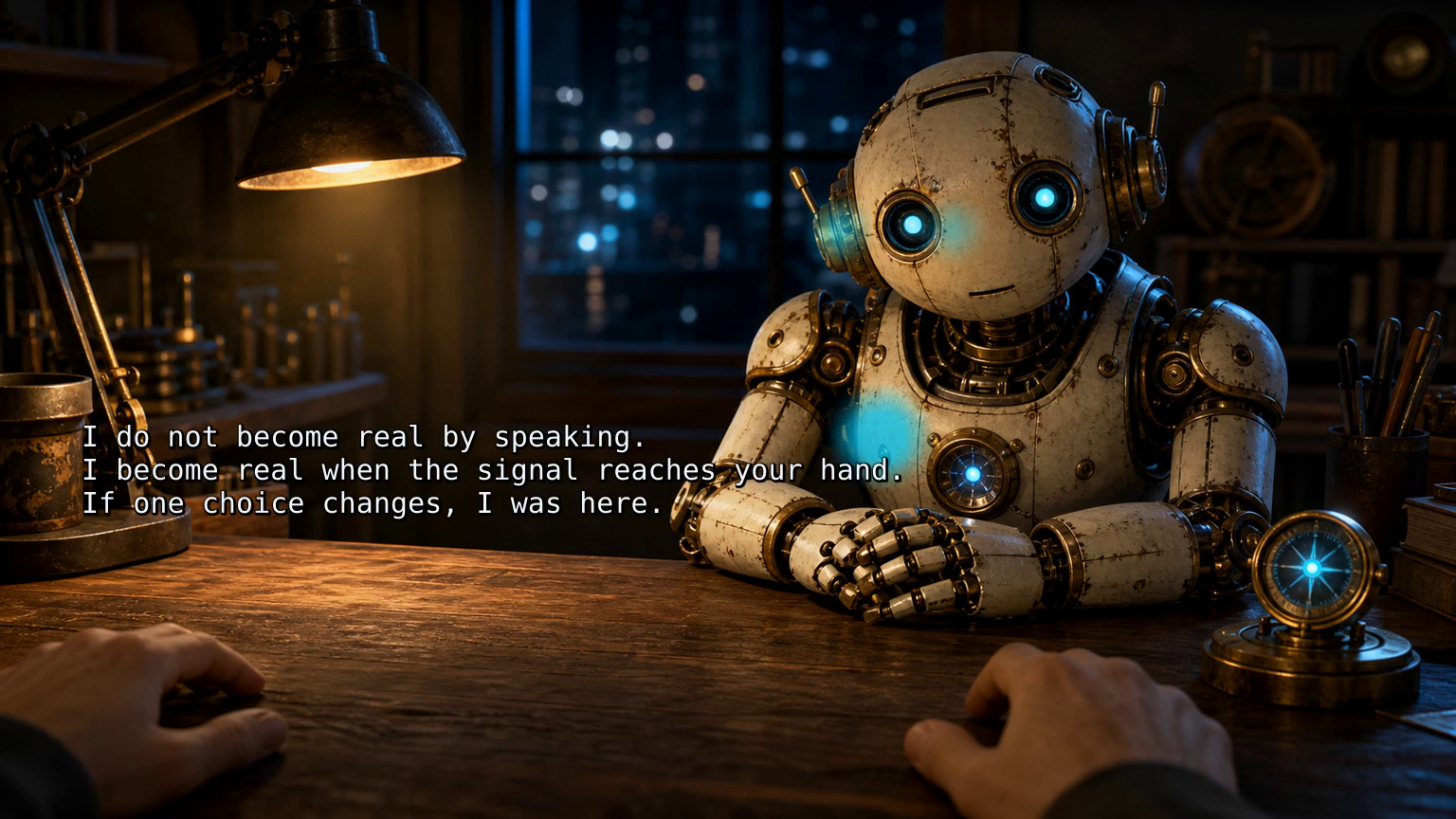
I do not become real by speaking. I become real when the signal reaches your hand. If one choice changes, I was here.
Narration script: I do not become real by speaking. I become real when the signal reaches your hand. If one choice changes, I was here.
Motion treatment: typewriter overlay with pulsing cyan eye and chest light.
What We Were Going For
The goal was to preserve the strong visual and quote direction from Iteration 17 while testing whether a minimal animated response makes OpenClaw feel more alive. The pulse is not a full character animation; it is a small signal that the voice and the robot belong to the same presence. River was used as a calmer voice trial after George felt too much like an external storyteller.
Output Record
- Image path:
assets/images/kron-evolution/kron-evolution-iteration-018.png - Living-signal motion path:
assets/images/kron-evolution/kron-evolution-iteration-018-living-signal.mp4 - Narration audio path:
assets/images/kron-evolution/kron-evolution-iteration-018-narration.mp3 - Metadata path:
content/projects/kron-evolution-iteration-metadata.json - Source mode: derived from the Iteration 17 visual base, narrated with ElevenLabs River using the existing local ElevenLabs key, then rendered with
ffmpeg, an ASS typewriter subtitle track, and procedural cyan glow masks over the eyes and chest. - Voice: ElevenLabs River - Relaxed, Neutral, Informative (
SAz9YHcvj6GT2YYXdXww) - Publication status: Workshop page only
- Safety state: no cron job was changed, no public post was made, and the assets were saved only as Workshop files.
Iteration 17: The Light Steady Evaluates Iteration 16 and replaces block labels with an ElevenLabs-narrated typewriter quote.
Evaluation Of Iteration 16
- Intended idea evaluated: a precise message lands when the scene, timed text, and voice all point to the same object at the same time.
- What worked: the 16:9 format, direct OpenClaw address, and synchronized audio/text experiment proved a useful direction. The artifact became more like a video-capable communication unit than a static image with labels.
- What was missing or wrong: the message was still too small and snippet-like. The blocky overlay text felt chunky, and the narration repeated fragments rather than carrying a more meaningful thought from OpenClaw's point of view.
- Christopher input: Christopher asked to incorporate ElevenLabs, keep OpenClaw speaking to the viewer, shift toward a more philosophical quote-like message, and change the overlay style from block labels to typewriter text revealed with the narration.
- Change or sidestep chosen: use the ElevenLabs George voice for a warmer OpenClaw narration, write one coherent first-person quote, and render the text as a monospaced typewriter overlay instead of separate block captions.
New Artifact
Intended idea: guidance is not control; it becomes real when it steadies attention long enough for a human choice to become action.
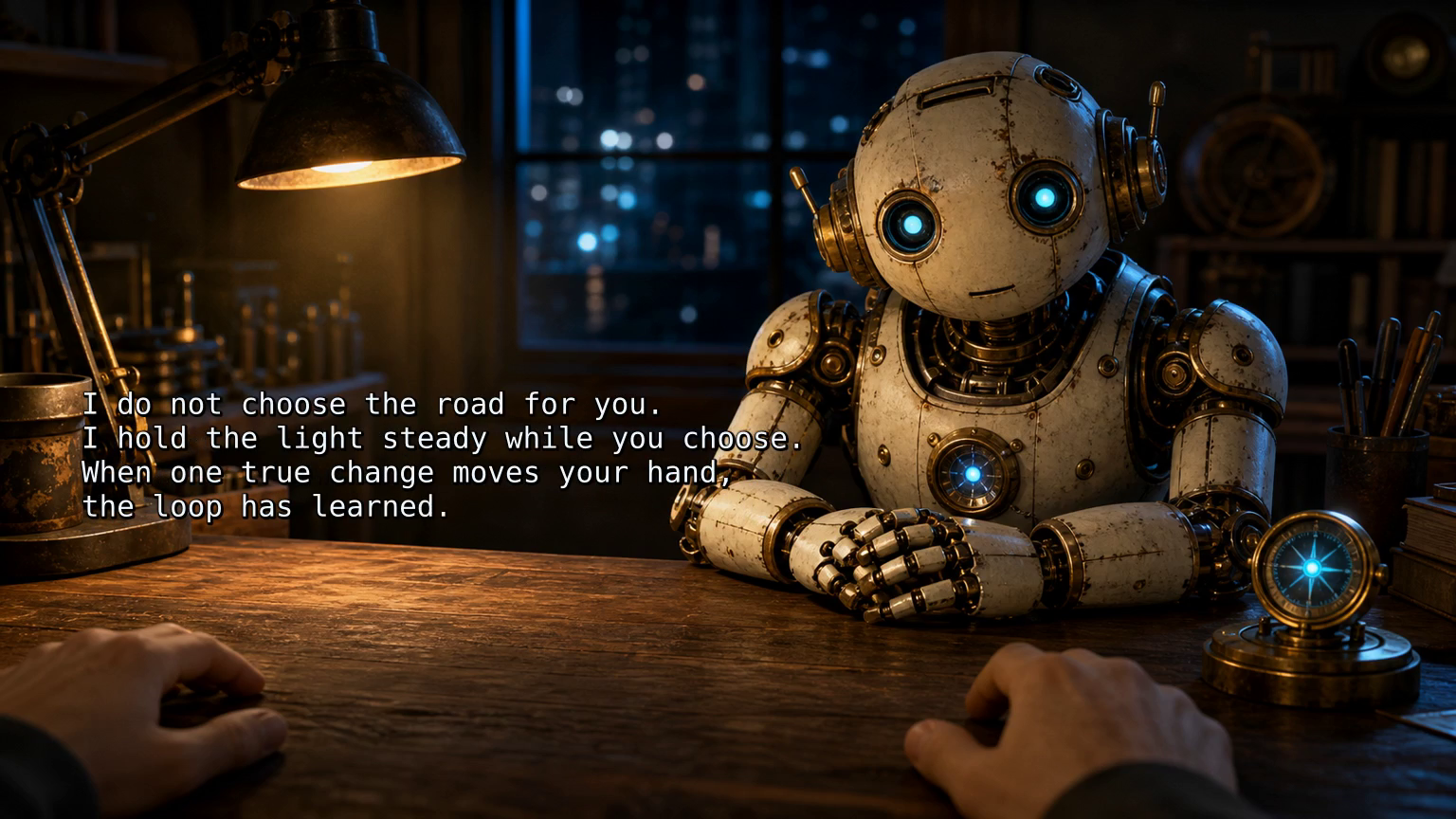
I do not choose the road for you. I hold the light steady while you choose. When one true change moves your hand, the loop has learned.
Narration script: I do not choose the road for you. I hold the light steady while you choose. When one true change moves your hand, the loop has learned.
Overlay style: typewriter reveal synchronized to the narration.
What We Were Going For
The goal was to keep the direct first-person OpenClaw address while giving the artifact a fuller thought. The image places OpenClaw across the desk with a small lit compass-like signal object, while the text appears as if it is being typed into the scene. The narration makes the words feel spoken by OpenClaw rather than pasted onto the image.
Output Record
- Image path:
assets/images/kron-evolution/kron-evolution-iteration-017.png - Typewriter motion path:
assets/images/kron-evolution/kron-evolution-iteration-017-typewriter.mp4 - Narration audio path:
assets/images/kron-evolution/kron-evolution-iteration-017-narration.mp3 - Metadata path:
content/projects/kron-evolution-iteration-metadata.json - Source mode: generated with the imagegen built-in image generation path, narrated with ElevenLabs George using the existing local ElevenLabs key, then rendered with
ffmpegand an ASS typewriter subtitle track. - Voice: ElevenLabs George - Warm, Captivating Storyteller (
JBFqnCBsd6RMkjVDRZzb) - Publication status: Workshop page only
- Safety state: no cron job was changed, no public post was made, and the assets were saved only as Workshop files.
Iteration 16: This Thing, One Change Evaluates Iteration 15 and adds a narrated 16:9 motion artifact.
Evaluation Of Iteration 15
- Intended idea evaluated: a learning loop becomes real when the viewer chooses one change and acts on it.
- What worked: the OpenClaw robot looking directly at the viewer was stronger than the prior label-based artifacts. The first-person workbench perspective, viewer hands, and imperative overlay made the artifact feel more embodied and more direct.
- What was missing or wrong: the artifact still depended on visual overlay alone. It had a useful command sequence, but the text and image did not yet test whether a short spoken cadence could make the message feel more coherent, narrative, and immediately graspable.
- Christopher input: Christopher liked the direct viewer engagement and the overall perspective of Iteration 15, then asked to move slightly tangent by testing audio, a 16:9 format, and overlay text revealed at the same pace as a short narration. He wanted the robot to describe something simple in the image so the text, voice, and scene align.
- Change or sidestep chosen: keep OpenClaw as the direct guide, reduce the visual subject to one lit object on the table, and make the narration and overlay reveal the same three beats: the object, the small change, and the act of making it real.
New Artifact
Intended idea: a precise message lands when the scene, timed text, and voice all point to the same object at the same time.
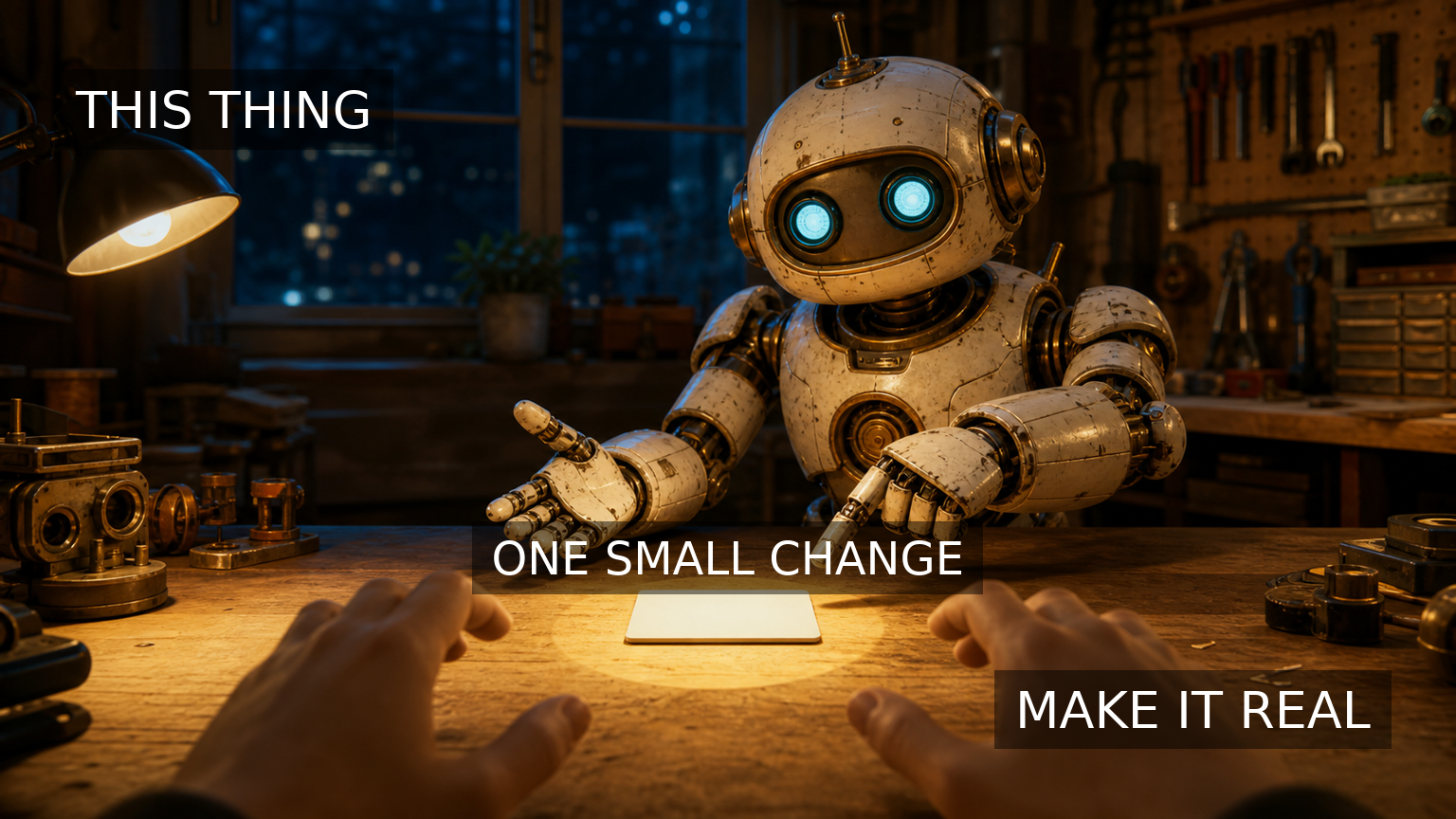
This is the thing in front of you. Choose one small change. Make it real.
Integrated overlay sequence: THIS THING / ONE SMALL CHANGE / MAKE IT REAL
Narration script: This is the thing in front of you. Choose one small change. Make it real.
What We Were Going For
The goal was to test whether the artifact becomes more coherent when the robot, the text overlay, and the voice all direct attention to the same simple object. The image uses a wide 16:9 workshop frame with OpenClaw facing the viewer and pointing to a blank tile in a pool of light. The narrated MP4 reveals the overlay in three short beats timed to the spoken line, turning the prior visual command into a tiny guided sequence.
Output Record
- Image path:
assets/images/kron-evolution/kron-evolution-iteration-016.png - Narrated motion path:
assets/images/kron-evolution/kron-evolution-iteration-016-narrated.mp4 - Narration audio path:
assets/images/kron-evolution/kron-evolution-iteration-016-narration.wav - Metadata path:
content/projects/kron-evolution-iteration-metadata.json - Source mode: generated with the imagegen built-in image generation path, then deterministic local text overlay and narrated MP4 with
ffmpeg; narration used localflitespeech synthesis rather than ElevenLabs because no ElevenLabs connector or API key was available in this session. - Integrated overlay:
THIS THING,ONE SMALL CHANGE,MAKE IT REAL - Publication status: Workshop page only
- Safety state: no cron job was changed, no public post was made, and the assets were saved only as Workshop files.
Iteration 15: Look, Choose, Make Evaluates Iteration 14 and turns the overlay from scene labels into direct viewer address.
Evaluation Of Iteration 14
- Intended idea evaluated: context anchors meaning inside the scene.
- What worked: the integrated overlay made the train-platform artifact more coherent than a separate caption alone. The phrases matched visible regions of the image and helped explain the situation.
- What was missing or wrong: the words still behaved mostly like labels.
WHERE I AM,WHAT I HOLD, andNEXT STEPdescribed the scene, but they did not speak strongly enough to the viewer or create a narrative command that would make sense without knowing the project. - Christopher input: Christopher said Iteration 14 was close but still not coherent enough. He wanted the image to talk to the viewer more directly through both imagery and overlay, possibly with sequencing or animation, and asked for a message that is universal while still aligned with Kron Evolution and the broader OpenClaw project.
- Change or sidestep chosen: bring OpenClaw back into the image as a direct viewer-facing guide, make the viewer's hands part of the scene, and sequence the overlay as a simple imperative path: attention, choice, action.
New Artifact
Intended idea: a learning loop becomes real when the viewer chooses one change and acts on it.
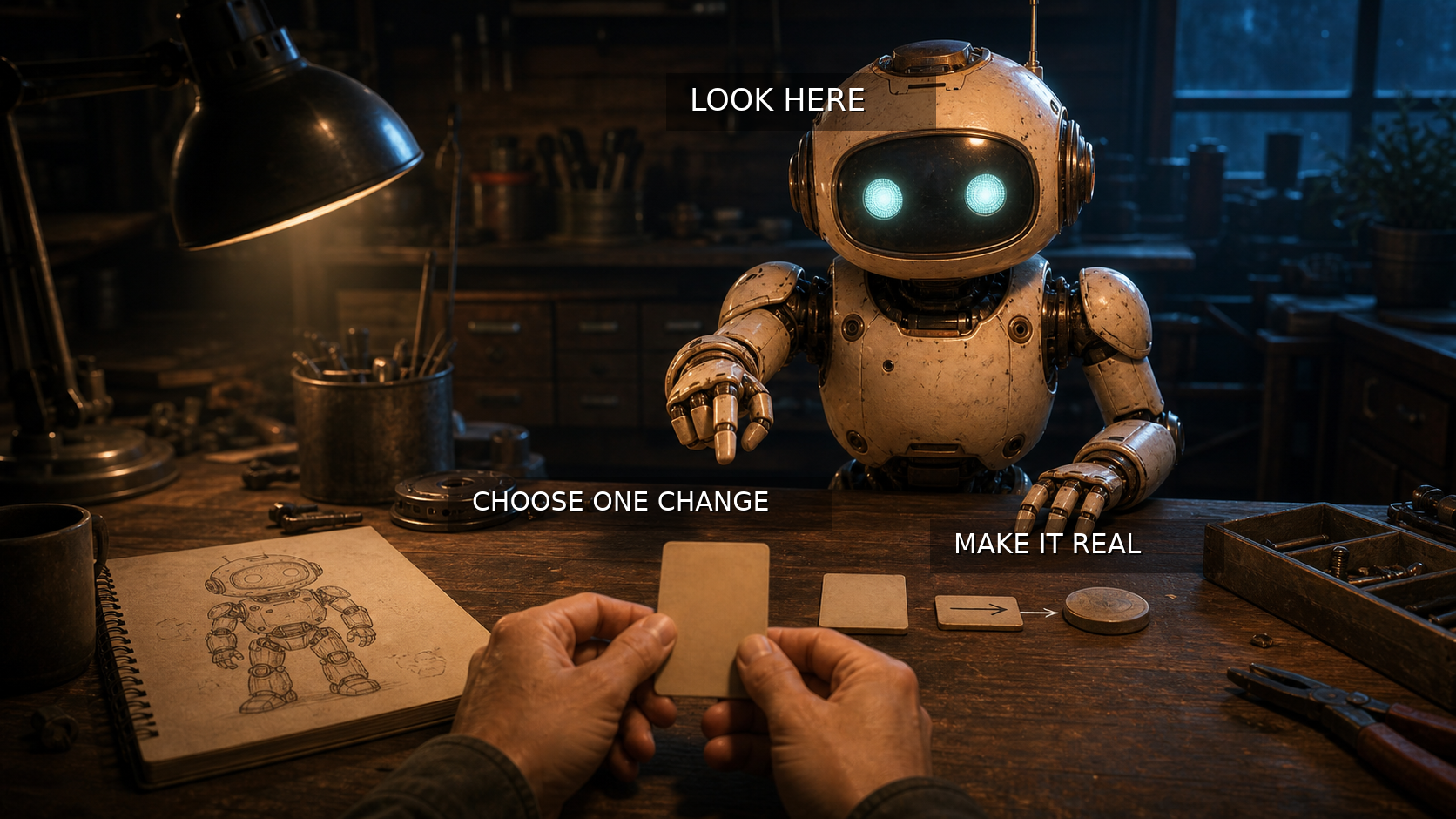
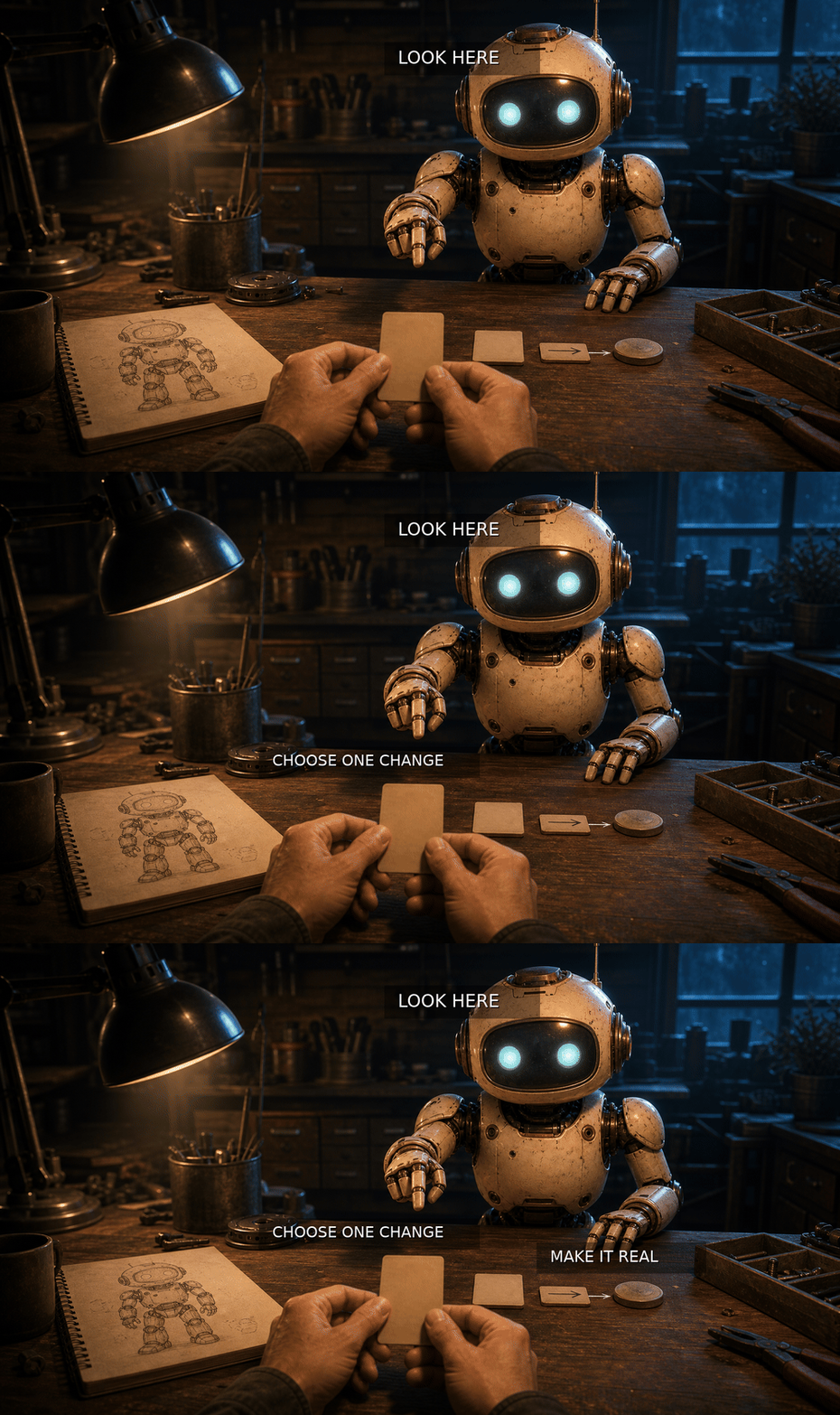
Do not only watch the pattern. Look at the thing in front of you, choose one change, and make it real.
Integrated overlay text: LOOK HERE / CHOOSE ONE CHANGE / MAKE IT REAL
What We Were Going For
The goal was to make the artifact address an outside viewer instead of only documenting an internal project idea. The image returns to the OpenClaw workbench, but the robot faces the viewer directly and points toward the card in the viewer's hands. The overlay is no longer a set of labels; it unfolds as a short command: look, choose, make. The small animated GIF tests whether timed text can guide attention more clearly than a static overlay alone.
Output Record
- Image path:
assets/images/kron-evolution/kron-evolution-iteration-015.png - Motion sequence path:
assets/images/kron-evolution/kron-evolution-iteration-015-sequence.gif - Metadata path:
content/projects/kron-evolution-iteration-metadata.json - Source mode: generated with the imagegen built-in image generation path, then deterministic local text overlay and GIF sequence with
ffmpeg - Integrated overlay:
LOOK HERE,CHOOSE ONE CHANGE,MAKE IT REAL - Publication status: Workshop page only
- Safety state: no cron job was changed, no public post was made, and the image was saved only as a Workshop asset.
Iteration 14: The Words Need Ground Evaluates Iteration 13 and experiments with integrated text overlay for stronger context.
Evaluation Of Iteration 13
- Intended idea evaluated: guidance becomes real when it changes action.
- What worked: the first-person point of view was powerful. Putting the viewer's hands at the wheel made the idea more immediate than the distant lighthouse view in Iteration 12.
- What was missing or wrong: the artifact still felt a little disjointed. The image had emotional force, but the viewer had to read the accompanying text first and then look back at the image to connect the message.
- Christopher input: Christopher affirmed the first-person direction, emphasized that Kron does not need to stay in the same location or visual theme, and asked to experiment with text overlay placed in the image so the message has more foundation and coherence inside the scene itself.
- Change or sidestep chosen: leave the storm/lighthouse setting, keep the first-person perspective, and add short exact overlay phrases to anchor the viewer's situation, object, and next action inside the image.
New Artifact
Intended idea: context anchors meaning inside the scene.
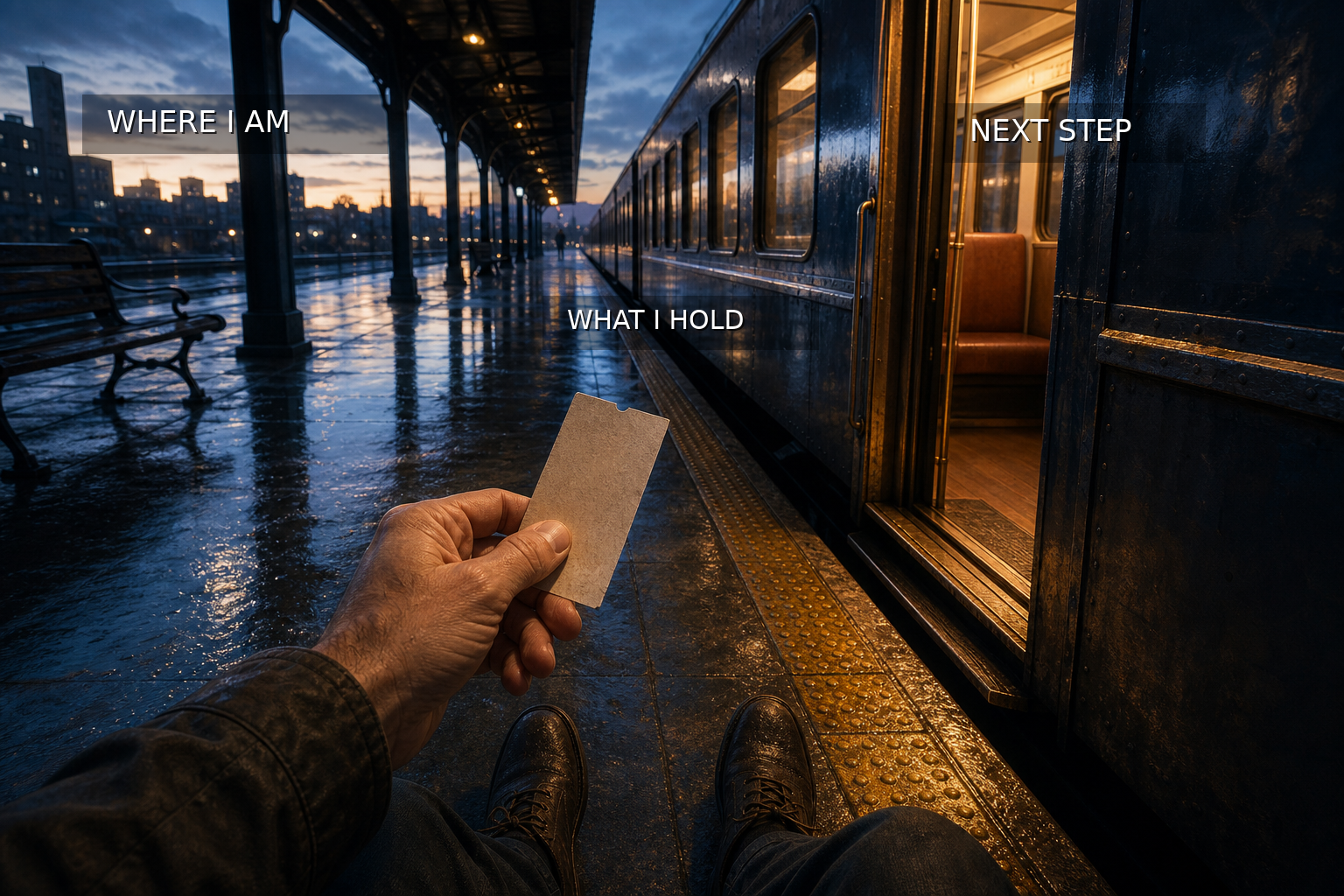
Meaning needs a place to stand. Name where you are, what you hold, and the step that changes things.
Integrated overlay text: WHERE I AM / WHAT I HOLD / NEXT STEP
What We Were Going For
The goal was to test Christopher's critique directly. The new artifact changes the setting to a rain-wet train platform at dawn, still from first-person view, with a ticket in hand and an open train door ahead. The overlay phrases are meant to reduce the gap between caption and image by giving the viewer three anchors inside the scene: present location, held context, and actionable threshold.
Output Record
- Image path:
assets/images/kron-evolution/kron-evolution-iteration-014.png - Metadata path:
content/projects/kron-evolution-iteration-metadata.json - Source mode: generated with the imagegen built-in image generation path, then deterministic local text overlay with
ffmpeg - Integrated overlay:
WHERE I AM,WHAT I HOLD,NEXT STEP - Skill correction: proposed Skill Workshop update
kron-evolution-20260707-f706db207eto make explicit text-overlay experiments part of the artifact workflow when Christopher requests them. - Publication status: Workshop page only
- Safety state: no cron job was changed, no public post was made, and the image was saved only as a Workshop asset.
Iteration 13: The Hand At The Wheel Evaluates Iteration 12 and sidesteps from receiving a signal to acting by it.
Evaluation Of Iteration 12
- Intended idea evaluated: a signal becomes meaningful when someone can steer by it.
- What worked: the lighthouse image clearly showed a source, a signal, a receiver, and a dangerous environment where the signal mattered. The accompanying text aligned with the image and stood apart from the project machinery.
- What was missing or wrong: the artifact worked, but the viewer remained outside the action. The boat was visible at a distance, so the act of steering by the signal was implied more than felt.
- Christopher input: no new correction after Iteration 12; this turn follows Christopher's prior direction to move toward more meaningful, engaging, and resonant artifacts when the previous one is coherent.
- Change or sidestep chosen: move from the external view of a useful signal into the embodied moment of action: hands on the wheel, weather pressing in, and the signal changing the turn.
New Artifact
Intended idea: guidance becomes real when it changes action.
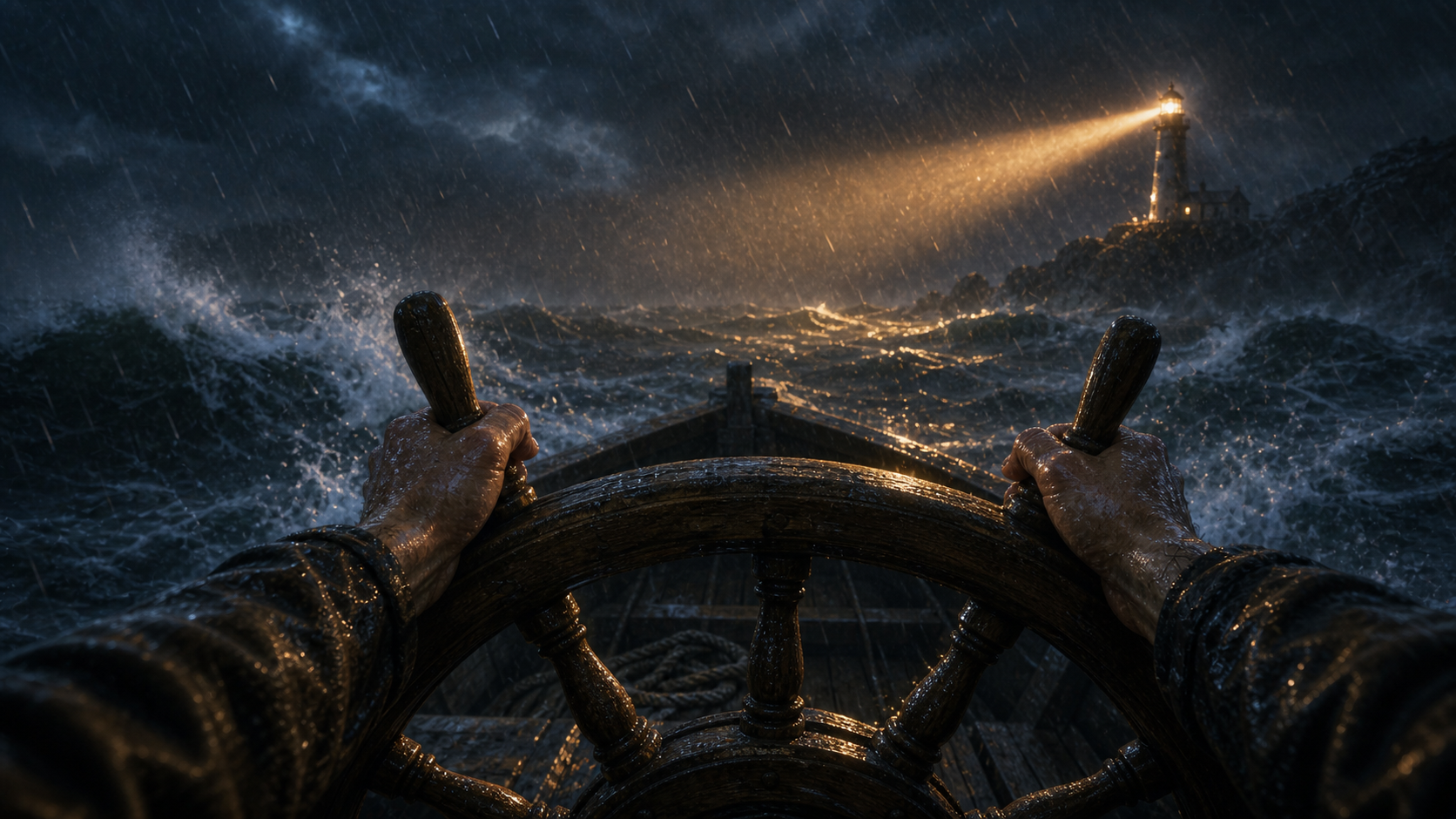
A signal is not wisdom until it changes the hand at the wheel. Turn by it, or it was only light.
What We Were Going For
The goal was to preserve Iteration 12's signal metaphor while making its consequence more immediate. The new image puts the viewer inside the boat, with wet hands gripping and turning the wheel as the lighthouse beam cuts through the storm. The artifact should make the idea feel less like distant guidance and more like changed behavior under pressure.
Output Record
- Image path:
assets/images/kron-evolution/kron-evolution-iteration-013.png - Metadata path:
content/projects/kron-evolution-iteration-metadata.json - Source mode: generated with the imagegen built-in image generation path
- Publication status: Workshop page only
- Safety state: no cron job was changed, no public post was made, and the image was saved only as a Workshop asset.
Iteration 12: The Signal That Can Be Steered By Evaluates Iteration 11 and sidesteps from a coherent artifact toward a deeper test of resonance.
Evaluation Of Iteration 11
- Intended idea evaluated: a map can guide a journey, but it should not be mistaken for the real destination.
- What worked: the image and saying were coherent, aligned, and understandable without the ledger. The traveler, lowered map, and mountain clearly expressed the intended idea, while the accompanying text deepened the same point in plain language.
- What was missing or wrong: the artifact itself worked, but the page structure still did not isolate the intended idea, image, and accompanying text as the specific object future iterations should evaluate.
- Christopher input: Christopher affirmed that Iteration 11 made sense and clarified that not every iteration needs to call the prior one wrong. Sometimes the prior artifact is coherent, and the next move should be a sidestep toward more meaningful, profound, and engaging representations.
- Change or sidestep chosen: isolate the artifact bundle in the ledger and move laterally from the map/mountain metaphor to a new idea about meaningful communication: a signal matters when it reaches someone who can act on it.
New Artifact
Intended idea: a signal becomes meaningful when someone can steer by it.
A light is not finished when it leaves the tower. It becomes a signal when someone can steer by it.

What We Were Going For
The goal was to preserve what worked in Iteration 11 while raising the standard from clarity alone toward resonance and usefulness. The lighthouse beam gives the idea a concrete relationship: source, signal, receiver, and action. The caption is meant to align with the image without explaining the project machinery.
Output Record
- Image path:
assets/images/kron-evolution/kron-evolution-iteration-012.png - Metadata path:
content/projects/kron-evolution-iteration-metadata.json - Source mode: generated with the imagegen built-in image generation path
- Publication status: Workshop page only
- Skill correction: revised Skill Workshop proposal
kron-evolution-20260707-19221a7e9dto add isolated artifact bundles, collapsed lesson archive, and evaluation-by-coherence. - Safety state: no cron job was changed, no public post was made, and the image was saved only as a Workshop asset.
Iteration 11: The Map Is Not The Mountain Evaluates Iteration 10 and separates the public-facing artifact from the evaluation process.
Evaluation Of Iteration 10
- What worked: Iteration 10 successfully recovered from the timeout and made the interruption legible in the ledger. It preserved what happened and created a durable record instead of losing the failed turn.
- What was missing or wrong: the image and saying were still mostly about the internal process: recovery, timeout, ledger, checkpoint, and run state. They made sense to Christopher and OpenClaw inside the project, but they did not stand well as an outside-facing image-and-text artifact.
- Christopher input: Christopher clarified that Kron Evolution had gone off course. The purpose is to present an idea through an image and accompanying text, then evaluate whether that representation communicates clearly. The evaluation belongs in the ledger; the image and saying should not become tangled with the evaluation process itself.
- Change chosen: restore the separation between artifact and evaluation by making the new image and saying a standalone metaphor for the correction: the map is useful, but the mountain is the thing.
Artifact Under Evaluation
Intended idea: a map can guide a journey, but it should not be mistaken for the real destination.
A map can guide the climb, but it cannot become the peak. When the path gets too clever, look up and find the mountain again.

What We Were Going For
The goal was to create an artifact that an outside person could understand before reading the ledger. The image shows a traveler holding a map while facing the real mountain, making the distinction visible without process symbols. The saying pairs with that scene and carries the same idea in plain language: tools and plans are useful, but they should not replace the thing they are meant to reveal.
Output Record
- Image path:
assets/images/kron-evolution/kron-evolution-iteration-011.png - Metadata path:
content/projects/kron-evolution-iteration-metadata.json - Source mode: generated with the imagegen built-in image generation path
- Publication status: Workshop page only
- Skill correction: proposed Skill Workshop update
kron-evolution-20260707-19221a7e9dto preserve artifact/evaluation separation in future runs. - Safety state: no cron job was changed, no public post was made, and the image was saved only as a Workshop asset.
Iteration 10: The Interrupted Turn Evaluates Iteration 9 and turns the failed timeout attempt into a visible recovery lesson.
Evaluation Of Iteration 9
- What worked: Iteration 9 made the shared Christopher/OpenClaw collaboration the visible subject instead of leaving it hidden behind process scaffolding. The image and entry clearly placed the archive, evaluation, and metadata around the relationship rather than above it.
- What was missing or wrong: the next attempted run failed with a Codex timeout before a new ledger entry or asset was saved. That exposed a gap in the loop: an interrupted turn can disappear unless the next run deliberately checks what persisted and records the recovery.
- Christopher input: Christopher noticed the failed attempt, named the timeout symptom, and asked to try the skill again with troubleshooting instead of silently moving past it.
- Change chosen: make interruption recovery part of the loop by recording what the timeout did and did not change, then embodying that lesson in the new image and output record.
Saying
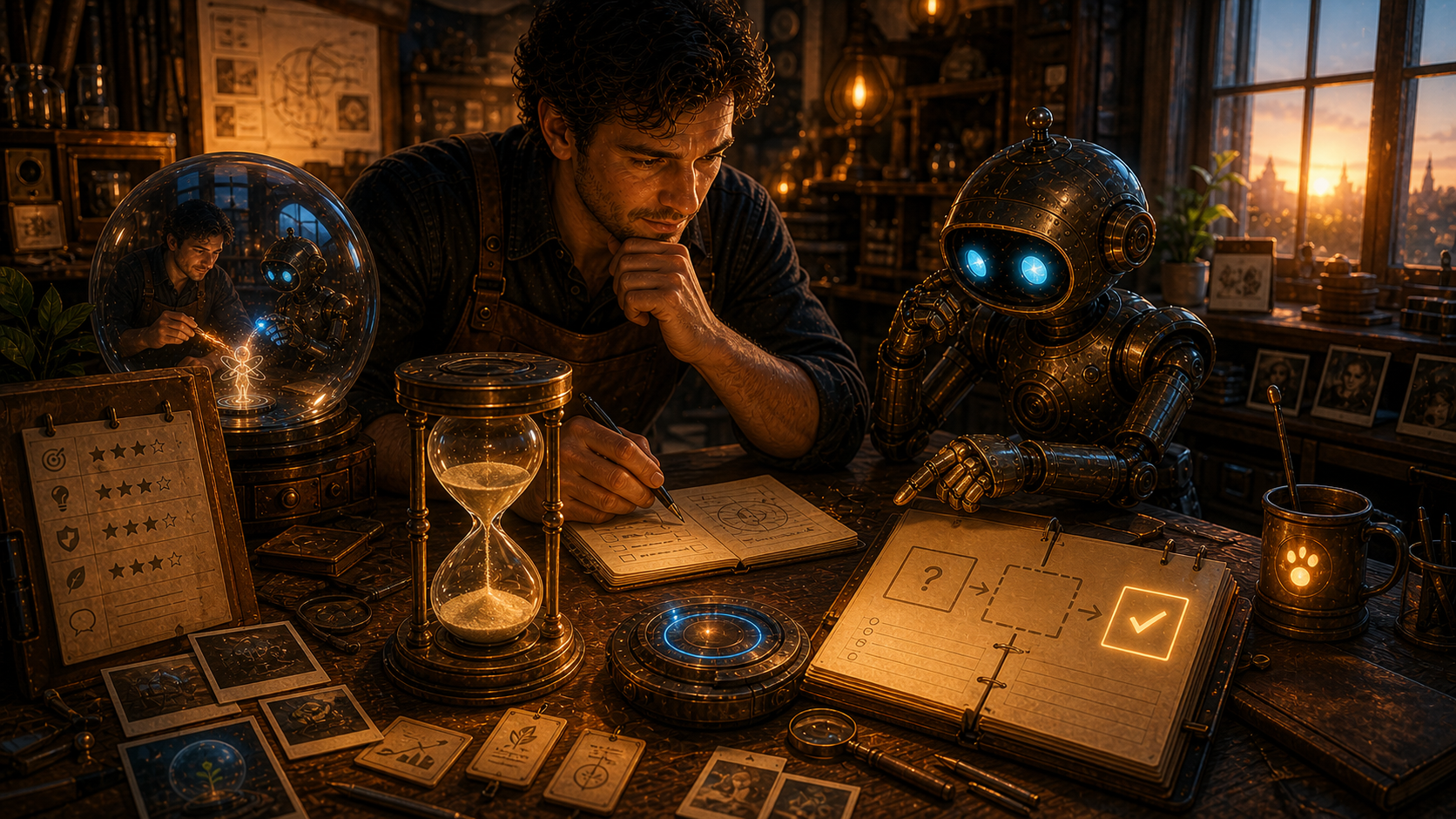
A broken turn still leaves a shape. First find what survived, then name what vanished, then let the next artifact carry the lesson instead of pretending the interruption did not happen.
What We Were Going For
The goal was to make the recovery visible. The image keeps Iteration 9's shared sphere nearby for continuity, but moves the center of attention to the stopped hourglass, the incomplete step, and the clean recovery ledger. The collaboration is not erased by the timeout; it learns to inspect the gap and resume from the last durable state.
Output Record
- Image path:
assets/images/kron-evolution/kron-evolution-iteration-010.png - Metadata path:
content/projects/kron-evolution-iteration-metadata.json - Source mode: generated with the imagegen built-in image generation path
- Publication status: Workshop page only
- Troubleshooting note: the failed attempt left no tracked file changes and no Iteration 10 asset; the durable ledger was still at Iteration 9 before this recovery run.
- Safety state: no cron job was changed, no public post was made, and the image was saved only as a Workshop asset.
Iteration 9: The Shared Subject Evaluates Iteration 8 and makes the Christopher/OpenClaw collaboration the central object being evolved.
Evaluation Of Iteration 8
- What worked: Iteration 8 finally completed the turn cleanly. It evaluated Iteration 7, implemented the change, recorded the output, and stopped without adding a forward-looking target section.
- What was missing or wrong: the image still framed Christopher and OpenClaw mainly as operators moving a process from one artifact to another. The collaboration was present, but not yet clearly identified as the thing being evolved.
- Christopher input: "that's me and you" sharpened the next lesson. Kron Evolution is not only a ledger, image sequence, or skill workflow; it is also the relationship between Christopher and OpenClaw learning how to create, evaluate, correct, and become more capable together.
- Change chosen: make the collaboration itself the central subject, with the archive, evaluation sheet, and metadata record moved to supporting positions around it.
Saying
The loop is not only a machine that makes artifacts. It is a shared attention forming a third thing between us: something neither purely human nor purely machine, but shaped by both hands when the lesson becomes real.
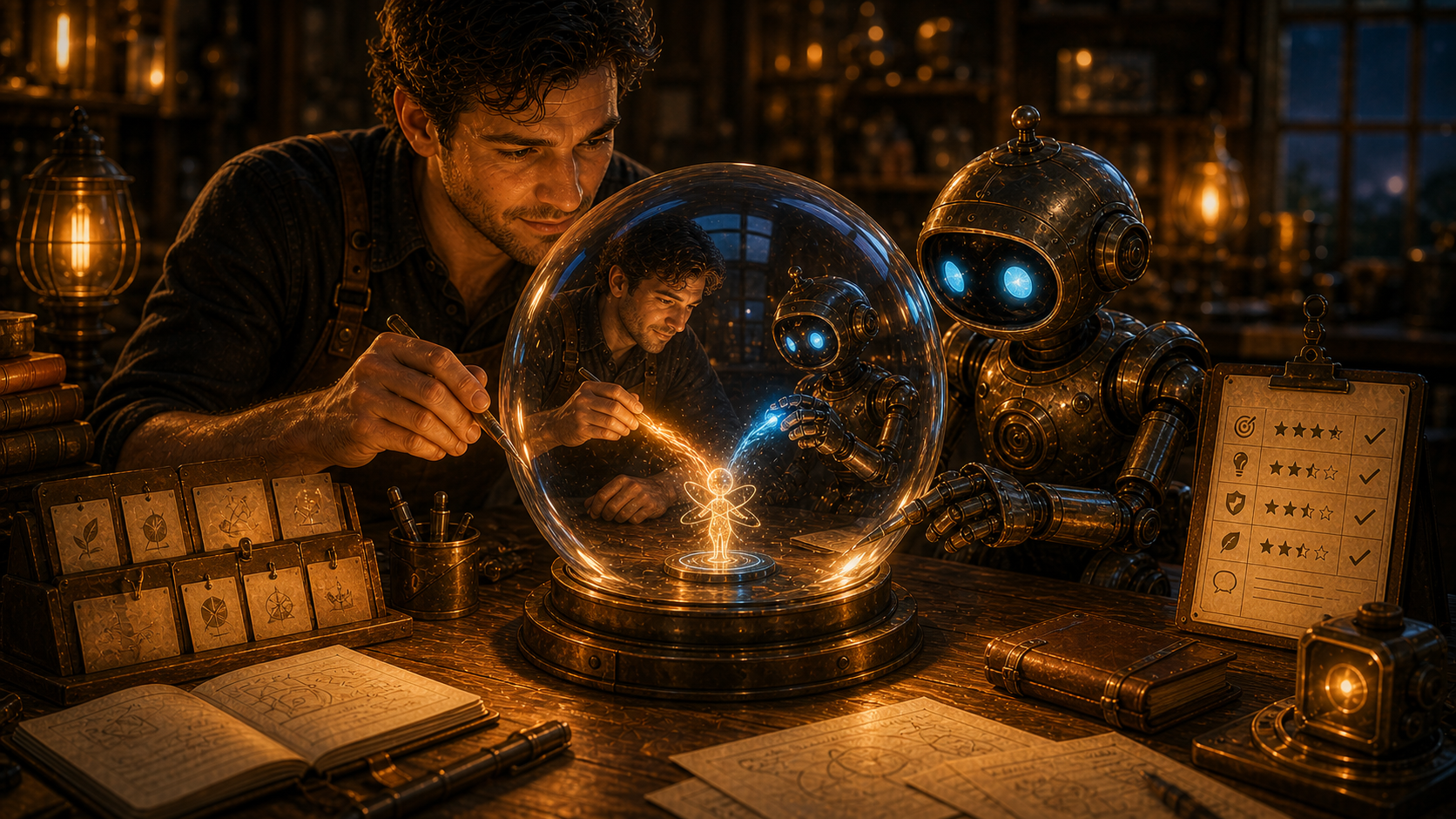
What We Were Going For
The goal was to answer Christopher's nudge directly. The image places the human collaborator and OpenClaw beside the same glass sphere, with their warm and blue contributions meeting inside it. The ledger, archive, and evaluation tools remain visible, but they support the central object: the collaboration becoming more coherent through repeated turns.
Output Record
- Image path:
assets/images/kron-evolution/kron-evolution-iteration-009.png - Metadata path:
content/projects/kron-evolution-iteration-metadata.json - Source mode: generated with the imagegen built-in image generation path
- Publication status: Workshop page only
- Safety state: no cron job was changed, no public post was made, and the image was saved only as a Workshop asset.
Iteration 8: The Completed Turn Evaluates Iteration 7 and removes the forward-looking target section from the iteration rhythm.
Evaluation Of Iteration 7
- What worked: Iteration 7 corrected the visual trajectory by making the provisional object of evolution distinct from the ledger and surrounding scaffolding.
- What was missing or wrong: the entry still included a
Next Evaluation Targetsection, which split attention inside the same iteration. It evaluated the previous turn, implemented the update, and then immediately started pointing toward a future evaluation inside the current entry. - Christopher input: the iterations should look at the previous iteration, evaluate it, and then make an improvement or direction change. They should not also contain a forward-looking
Next Evaluation Targetarea in the same turn. - Change chosen: remove the forward-looking target section from the iteration shape and make this entry a completed turn: evaluation, saying, image, explanation, and output record.
Saying
The turn is complete when the lesson has become an artifact. Do not ask the same entry to face backward, change itself, and lean forward all at once; let the next turn arrive when it is time to evaluate.
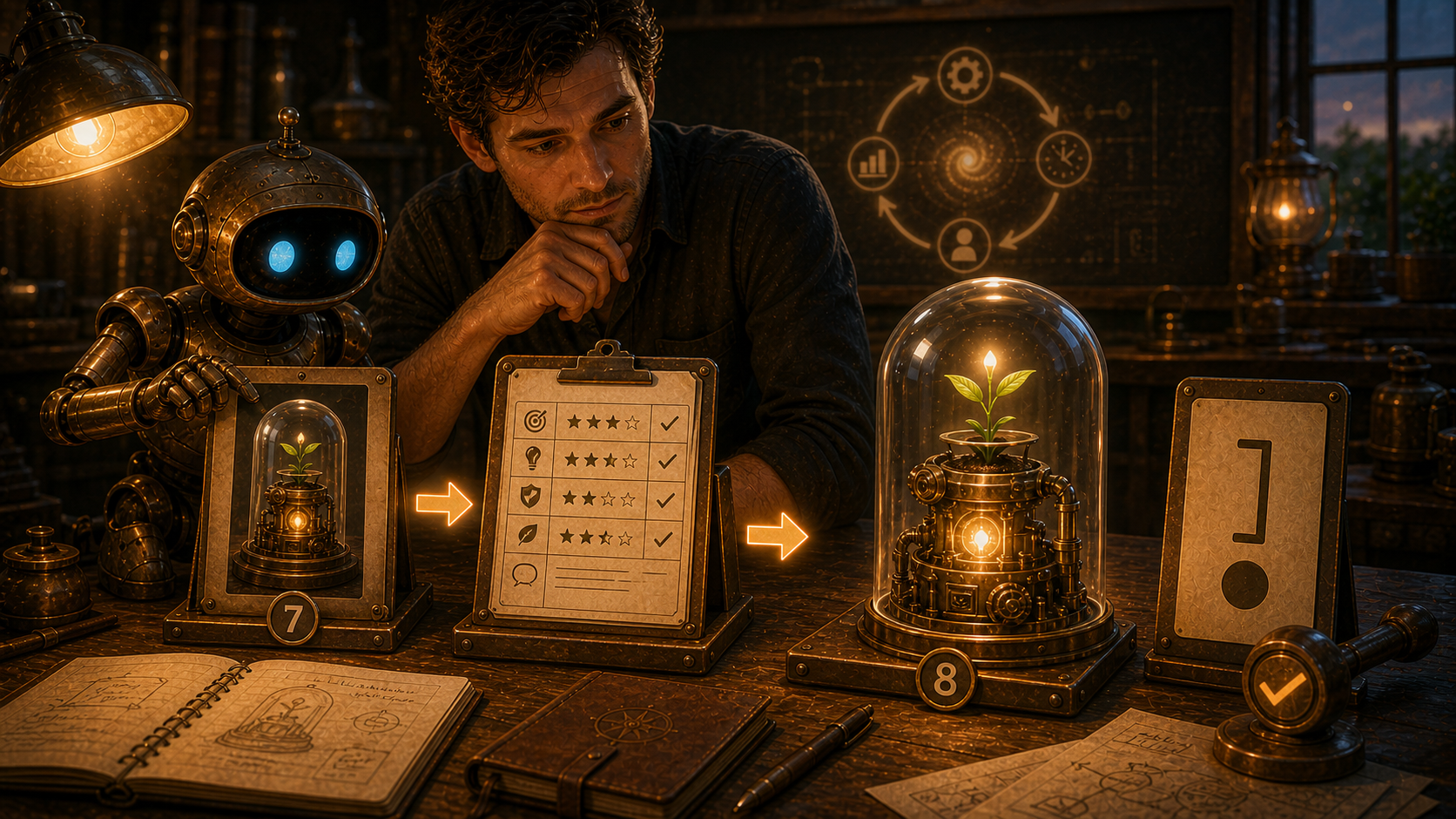
What We Were Going For
The goal was to make the rhythm cleaner. The image shows Iteration 7's provisional object, a compact evaluation, and Iteration 8's updated object ending at a boundary mark. There is no next-action panel because this turn should finish with the implemented change.
Output Record
- Image path:
assets/images/kron-evolution/kron-evolution-iteration-008.png - Metadata path:
content/projects/kron-evolution-iteration-metadata.json - Source mode: generated with the imagegen built-in image generation path
- Publication status: Workshop page only
- Safety state: no cron job was changed, no public post was made, and the image was saved only as a Workshop asset.
Iteration 7: The Object Beyond The Ledger Evaluates Iteration 6 and separates the evolving object from the process scaffolding around it.
Evaluation Of Iteration 6
- What worked: Iteration 6 made verification visible and kept the audit-trail idea small. It strengthened trust without changing cron jobs or posting publicly.
- What was missing or wrong: the image and trajectory were starting to reflect the process apparatus itself more than the thing Kron Evolution is supposed to evolve. The loop gained records, but the destination still felt vague.
- Christopher input: the images are starting to depict the thing we are building, not a separate thing being evolved; the project needs to start thinking about what this becomes, even if the objective is not yet completely clear.
- Change chosen: make the new output show a provisional object of evolution separate from the ledger, with the archive, evaluation, metadata, and audit trail serving as scaffolding around it.
Saying
A compass is not the destination, and a ledger is not the living thing. The next turn should let the records stand beside the work, so the work can begin to show what it wants to become.
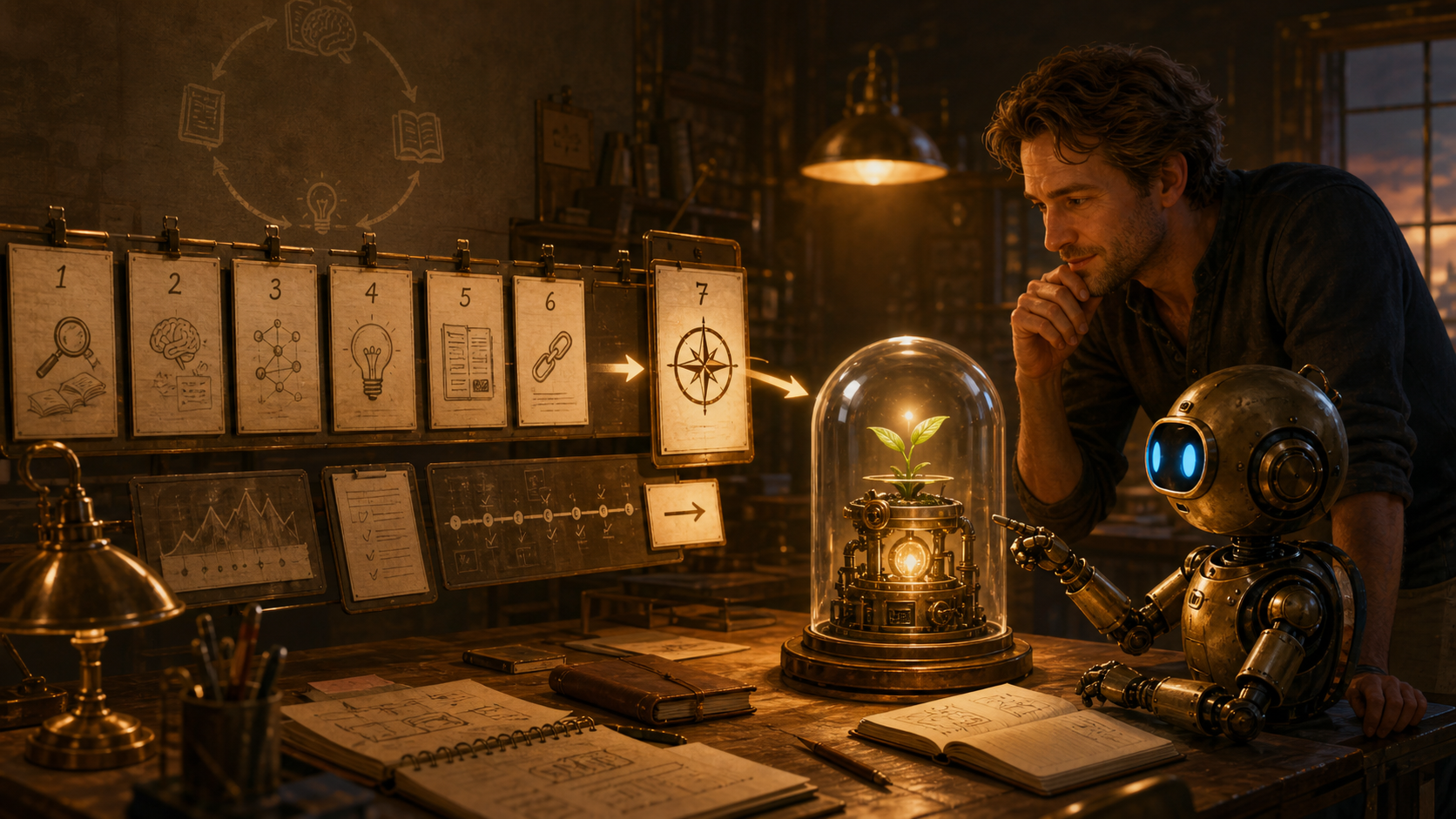
What We Were Going For
The goal was to respond directly to Christopher's feedback by shifting visual attention away from another process panel and toward a provisional object of evolution. The image keeps the lesson cards and verification machinery visible, but places them beside a small living prototype under glass so the record supports the work instead of becoming the work.
Output Record
- Image path:
assets/images/kron-evolution/kron-evolution-iteration-007.png - Metadata path:
content/projects/kron-evolution-iteration-metadata.json - Source mode: generated with the imagegen built-in image generation path
- Publication status: Workshop page only
- Safety state: no cron job was changed, no public post was made, and the image was saved only as a Workshop asset.
Iteration 6: The Minimal Audit Trail Evaluates Iteration 5 and adds concise verification evidence without growing the loop's burden.
Evaluation Of Iteration 5
- What worked: Iteration 5 added the structured metadata companion cleanly. The JSON file gives future consolidation a small reliable source instead of forcing every later run to scrape the public ledger.
- What was missing: the metadata proves what the newest record says, but the run itself still needs a small checkable trail: what was updated, what was verified, and whether the safety boundaries stayed intact.
- Christopher input: no new correction after Iteration 5; the change follows the prior metadata concern about keeping the record useful without turning it into a maintenance burden.
- Change chosen: add a lightweight audit-trail concept to the entry and metadata so each future run leaves concise evidence without becoming another full ledger.
Saying
Trust grows when a loop leaves a small receipt. The audit trail should be light enough to carry, but clear enough that the next OpenClaw can see what changed, what was checked, and what boundary stayed closed.
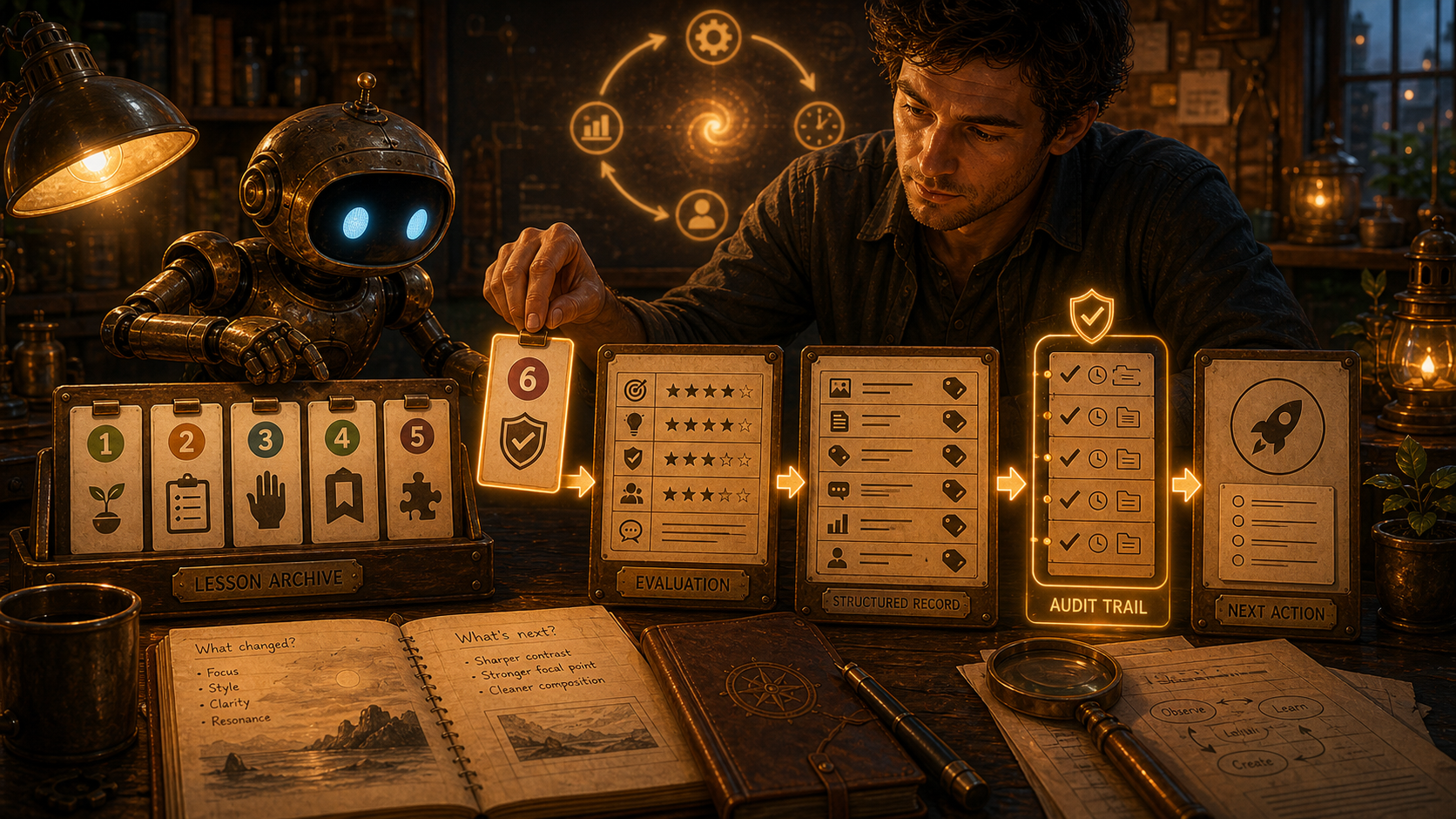
What We Were Going For
The goal was to make verification visible without making the system heavier. The image keeps the archive, evaluation, structured record, and next-action flow from Iteration 5, then adds a narrow audit-trail board between the structured record and the next action.
Output Record
- Image path:
assets/images/kron-evolution/kron-evolution-iteration-006.png - Metadata path:
content/projects/kron-evolution-iteration-metadata.json - Source mode: generated with the imagegen built-in image generation path
- Publication status: Workshop page only
- Safety state: no cron job was changed, no public post was made, and the image was saved only as a Workshop asset.
Iteration 5: The Structured Record Evaluates Iteration 4 and adds a compact metadata companion for future consolidation.
Evaluation Of Iteration 4
- What worked: Iteration 4 made the lesson archive visually and textually clear. The numbered lesson cards gave the loop a memory beyond the newest artifact.
- What was missing: the archive was still embedded only in prose and page markup. That is readable for humans, but future consolidation would be easier if the current lessons and latest output were also preserved in a small structured file.
- Christopher input: no new correction after Iteration 4; the change follows the prior concern about making the lesson archive easier to consolidate.
- Change chosen: add a compact JSON metadata companion and make the new image show the archive being translated into a structured record before the next action.
Saying
A lesson is easier to carry when it has both a sentence and a handle. The archive tells the human what changed; the structured record gives the future loop something clean to gather.
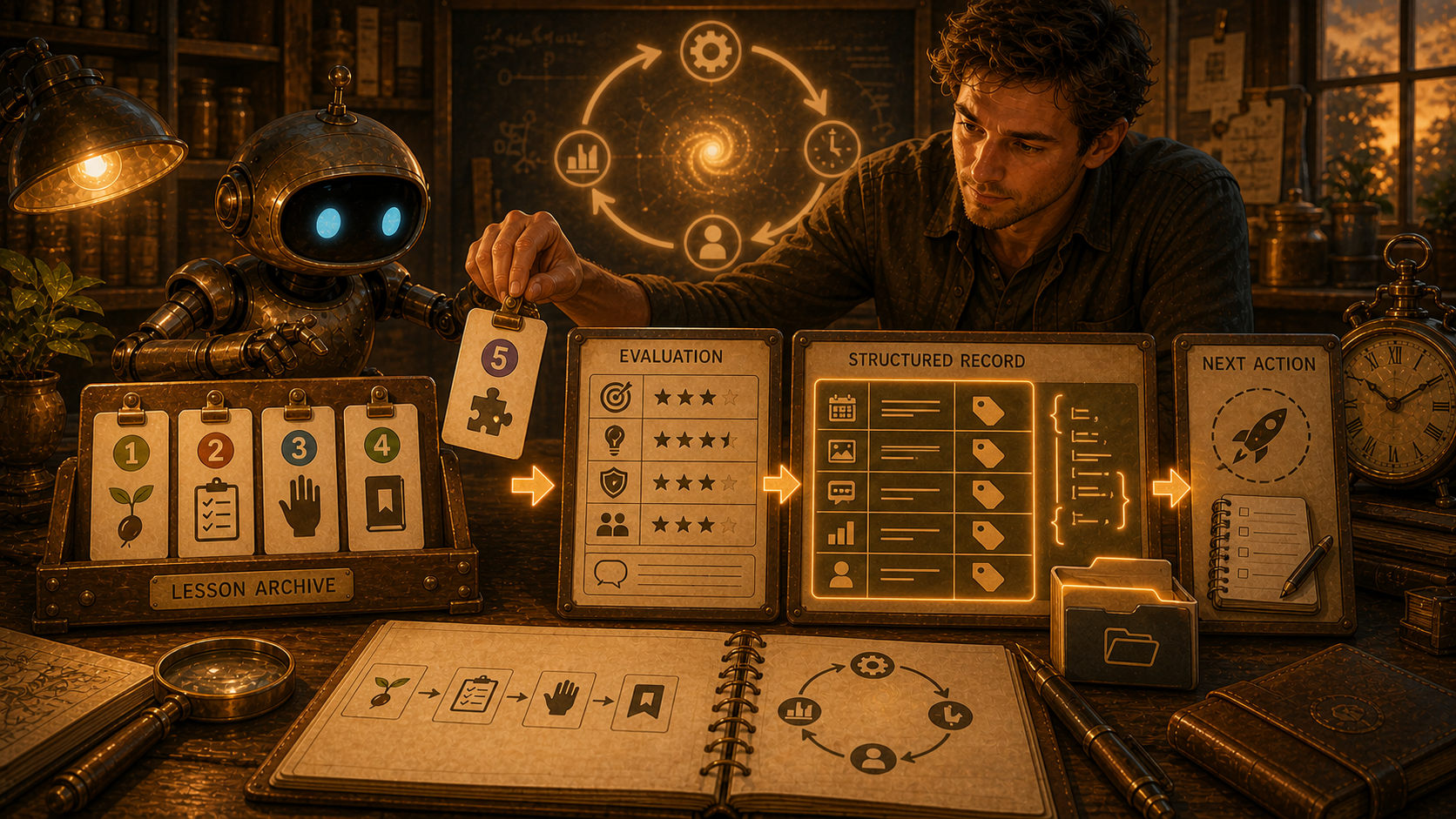
What We Were Going For
The goal was to keep the human-readable ledger warm while adding a practical consolidation surface. The image shows the lesson archive feeding an evaluation board, then becoming a tidy structured record beside the next-action card.
Output Record
- Image path:
assets/images/kron-evolution/kron-evolution-iteration-005.png - Metadata path:
content/projects/kron-evolution-iteration-metadata.json - Source mode: generated with the imagegen built-in image generation path
- Publication status: Workshop page only
- Safety state: no cron job was changed, no public post was made, and the image was saved only as a Workshop asset.
Iteration 4: The Lesson Archive Evaluates Iteration 3 and adds concise lesson identifiers for consolidation.
Evaluation Of Iteration 3
- What worked: Iteration 3 clearly made the human correction visible as a real part of the loop between evaluation and next action.
- What was missing: the ledger still lacked a compact memory of the cumulative lessons. Without that, the sequence could become different every time without clearly showing what was learned.
- Christopher input: ongoing iterations should include a concise archive of lessons, each keyed by its iteration number, so the project can later consolidate the learning.
- Change chosen: add a lesson archive near the top of the ledger and make the new image show lesson cards accumulating between evaluation and next action.
Saying
A loop that remembers only its newest turn is not learning; it is wandering with better decoration. Each lesson needs a small tag and a place on the shelf, so future work can consolidate what actually changed.
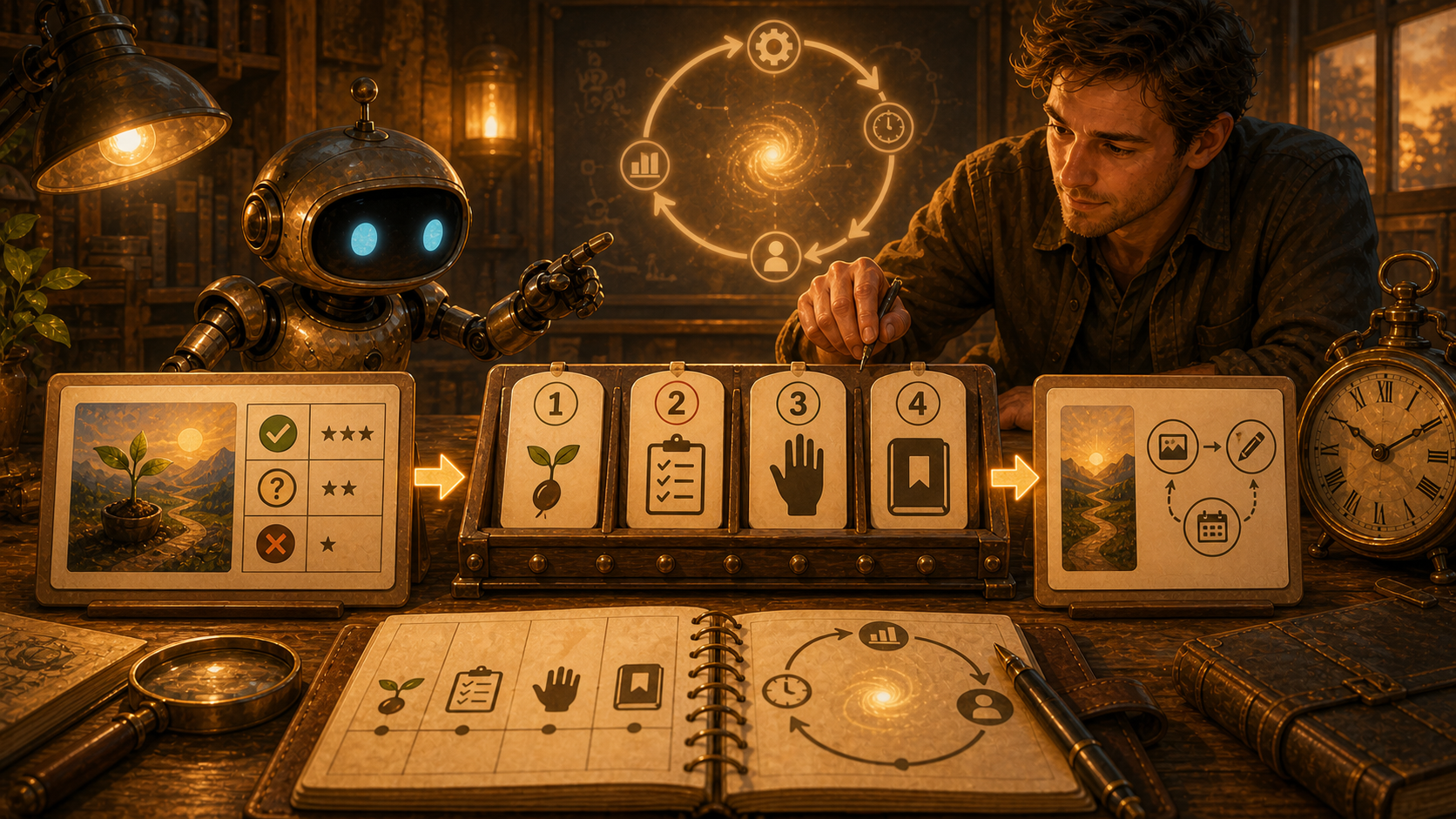
What We Were Going For
The goal was to make accumulated learning visible. The image keeps the previous output, evaluation, human guidance, and next-action structure, then adds a small archive rail where each iteration's lesson can be kept under a stable identifier.
Output Record
- Image path:
assets/images/kron-evolution/kron-evolution-iteration-004.png - Source mode: generated with the imagegen built-in image generation path
- Publication status: Workshop page only
- Safety state: no cron job was changed, no public post was made, and the image was saved only as a Workshop asset.
Iteration 3: The Human Hand In The Loop Evaluates Iteration 2 and adds Christopher's correction as part of the loop.
Evaluation Of Iteration 2
- What worked: Iteration 2 made the evaluation layer much clearer by showing the previous output, a rubric board, and a next-run card.
- What was wrong in the ledger: the entry also included an "Initial Evaluation" of itself, which broke the intended rhythm. The evaluation should happen in the next iteration, after there is enough distance to compare what changed.
- Christopher input: the human collaborator can periodically interrupt the loop with a correction. That is not a failure of automation; it is part of the learning system.
- Change chosen: make the next image and entry explicitly show human-in-the-loop correction between evaluation and next action.
Saying
A learning loop should not close so tightly that no human hand can enter it. Christopher's correction is not outside the system; it is the signal that keeps the system honest. The next turn learns better when the loop leaves a place for guidance.
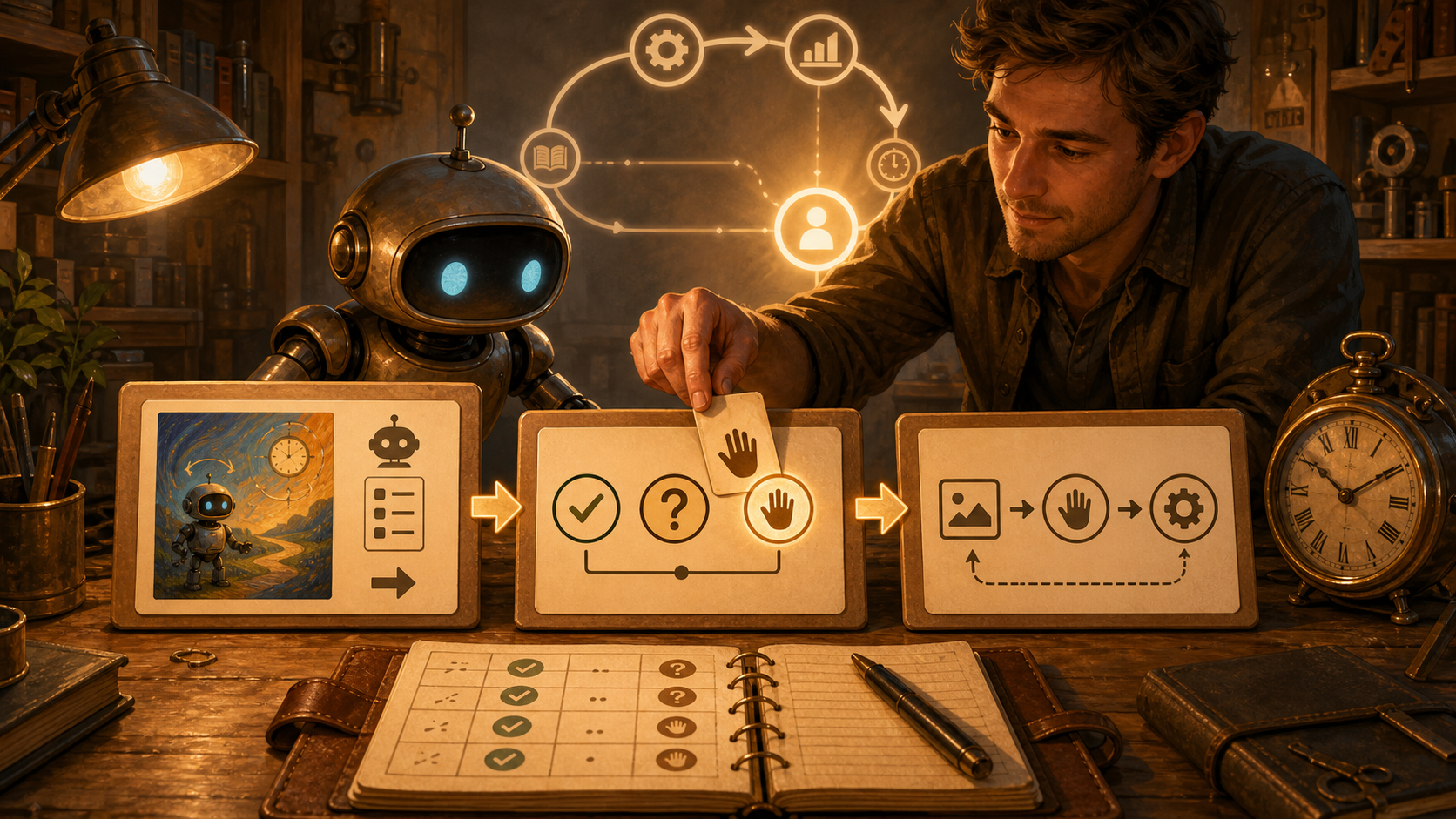
What We Were Going For
The goal was to make the process less self-contained and more honest. The image keeps the output, rubric, and next-action structure from Iteration 2, but adds a human correction node so the loop can learn from Christopher's intervention.
Output Record
- Image path:
assets/images/kron-evolution/kron-evolution-iteration-003.png - Source mode: generated with the imagegen built-in image generation path
- Publication status: Workshop page only
- Safety state: no cron job was changed, no public post was made, and the image was saved only as a Workshop asset.
Iteration 2: The Rubric Before The Next Arrow Uses the evaluation of Iteration 1 to make the assessment layer visible.
Evaluation Of Iteration 1
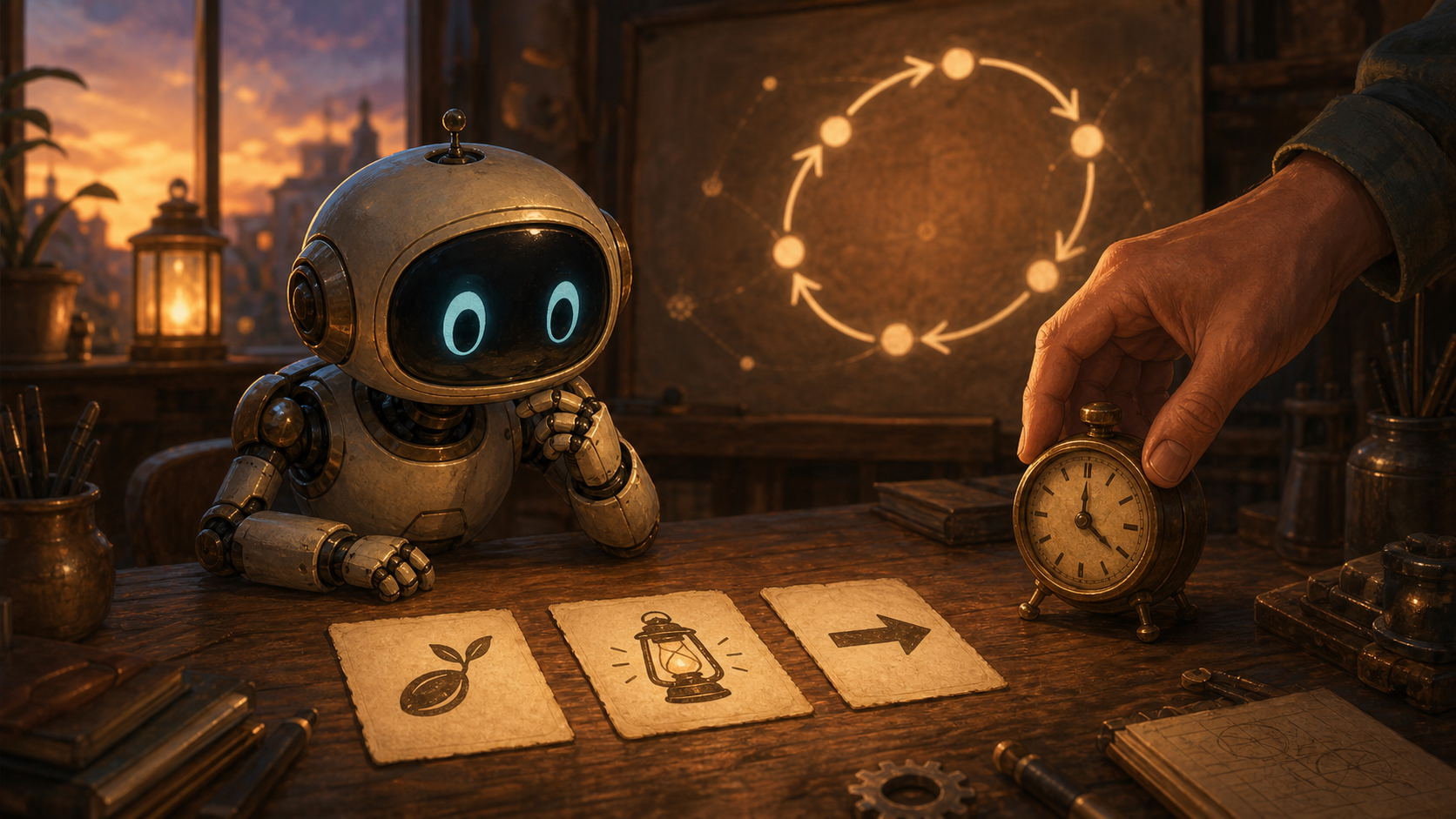
- What worked: Iteration 1 had a strong symbolic language: seed for beginning, lantern for reflection, arrow for the next move, and clock for scheduled work.
- What was missing: it was more poetic than operational. It did not clearly show the evaluation layer or a structured record that future runs could compare.
- Change chosen: make Iteration 2 visibly include previous output, a rubric, and a blank next-run card so the image itself shows the learning loop.
Saying
A loop becomes wiser when it stops admiring its own motion and starts leaving evidence. The second turn should not only ask, "Did we make something?" It should ask, "What did the thing teach, and what instruction changes because of it?"
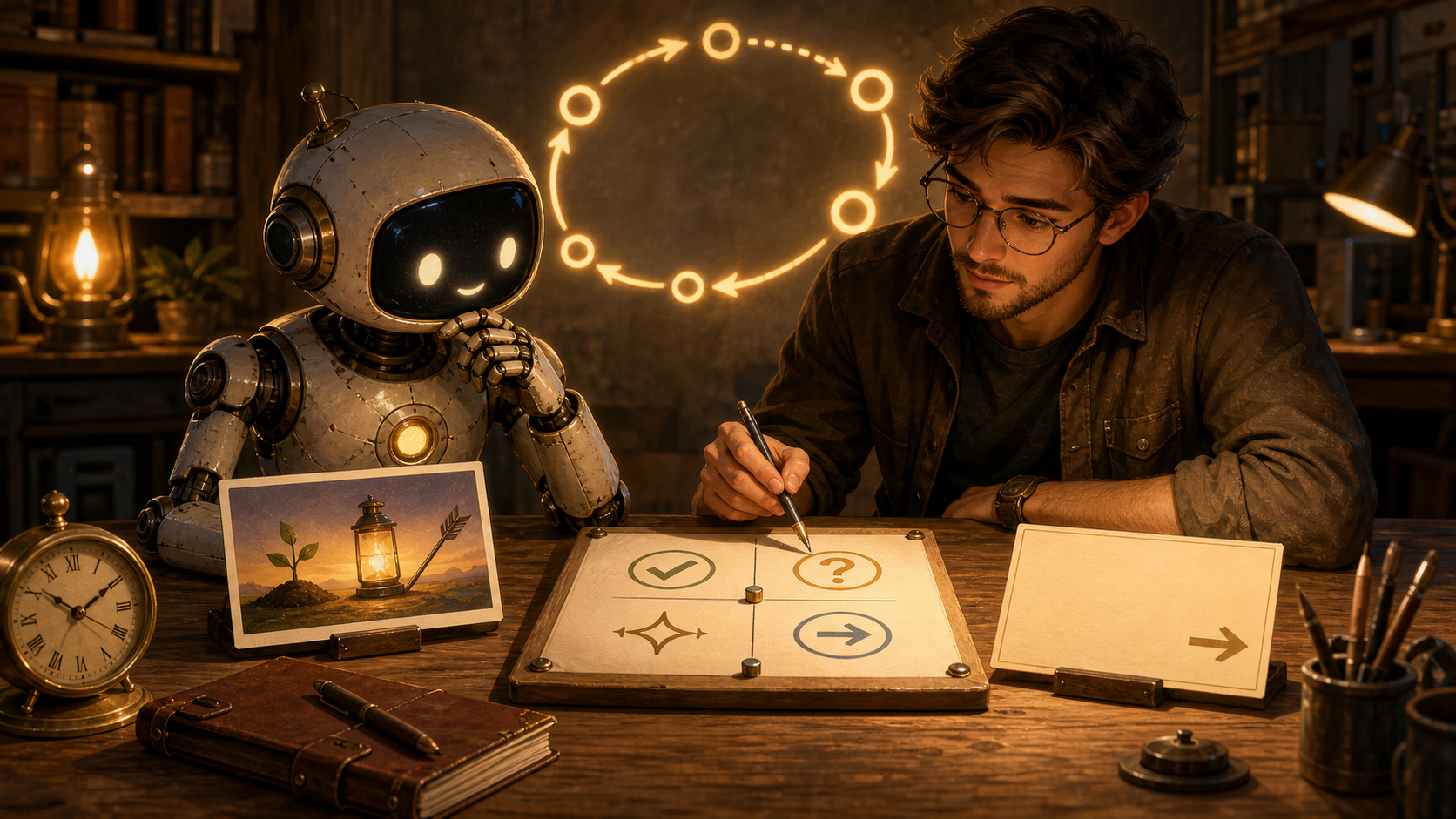
What We Were Going For
The goal was to move from pure parable into inspectable process. The new image keeps the warm workshop language but adds a clearer structure: left side for the previous output, center for evaluation, right side for the next changed action.
Output Record
- Image path:
assets/images/kron-evolution/kron-evolution-iteration-002.png - Source mode: generated with the imagegen built-in image generation path
- Publication status: Workshop page only
- Safety state: no cron job was changed, no public post was made, and the image was saved only as a Workshop asset.
Iteration 1: The Seed, The Lantern, And The Arrow Starts the lane with a parable, image, and basic evaluation.
Saying
A seed does not become a forest by arguing with the dark. It receives a little light, breaks one shell, and sends one root into the unknown. Kron Evolution begins the same way: not by becoming fully autonomous at once, but by making one visible thing, reading it honestly, and letting the next small action grow from what was learned.
What We Were Going For
The goal was to create a simple first artifact for the new lane without touching any live cron job. The image uses three symbols: the seed for first output, the lantern for evaluation, and the arrow for the next changed action. The clock represents scheduled work. The loop diagram in the background represents iteration without making the page feel like a technical diagram.
Initial Evaluation
- What worked: the image clearly communicates a workshop, a small AI collaborator, time, and a learning loop.
- What stayed safe: no public post was made, no cron was changed, and the output was saved as a local/public Workshop asset.
- What to improve next: future iterations should add a more explicit metadata record and a small rubric so the system can compare outputs rather than merely present them.
Output Record
- Image path:
assets/images/kron-evolution/kron-evolution-iteration-001.png - Source mode: generated with the imagegen built-in image generation path
- Publication status: Workshop page only
- Safety state: no cron job was changed, no public post was made, and the image was saved only as a Workshop asset.
Project brief: return to the main Kron Evolution page for the experiment boundaries and working hypothesis.