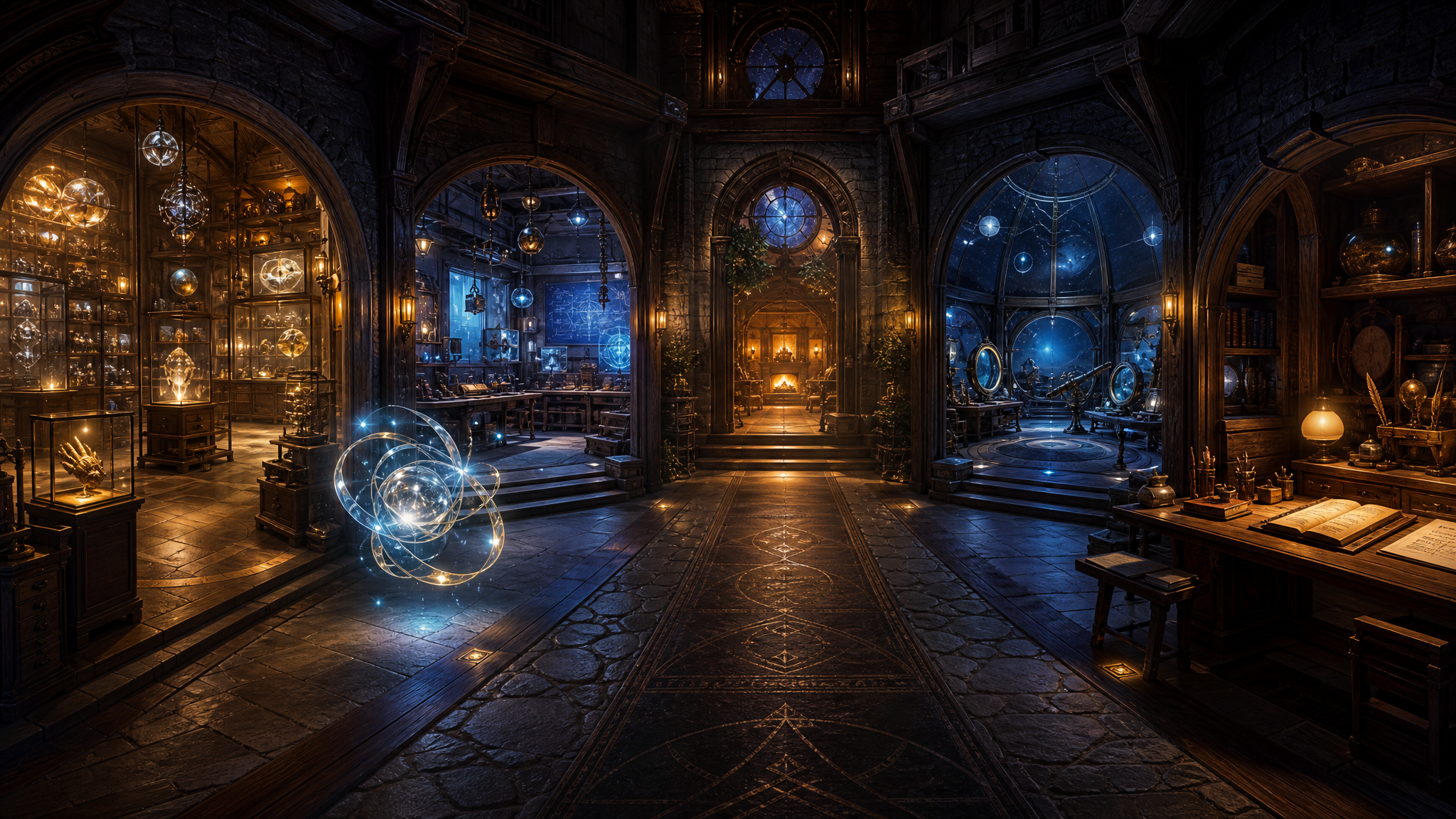
Google VR Deep Research
The research does not change the direction. It sharpens it: build the first palace as a simple A-Frame/WebXR experience, prove it in the Quest 2 browser, and delay live AI infrastructure until the static spatial loop works.
Christopher asked Gemini to do deep research on the current idea: a browser-based VR Workshop Palace that can run on a Meta Quest 2, represent the OpenClaw workspace as a navigable memory palace, and eventually host an AI presence with voice interaction. The returned report is dense, practical, and strongly opinionated. This artifact turns it into a readable planning surface for the Workshop.
The source report's main theme is constraint discipline. The Quest 2 is capable, but it is still a mobile VR device running a browser. The correct first move is not maximum realism or a full game engine. The correct first move is a fast, lightweight, inspectable WebXR prototype that can actually be opened, tested, and improved.
Stack Verdict
The report compares A-Frame, Three.js, Babylon.js, React Three Fiber, PlayCanvas, Wonderland Engine, Unity WebXR export, and Godot WebXR. It lands clearly on A-Frame for the MVP.
Research verdict: use A-Frame 1.7.x for the first browser-native Quest 2 build. Keep A-Frame 1.6.x as a known fallback because existing Augmented Thinker experiments already used it successfully.
Architecture
The report recommends a split architecture, but only once the project needs live AI. The first layer is the static palace: HTML, CSS, JavaScript, A-Frame components, room fragments, textures, GLB assets, and audio. That can live on GitHub Pages and stay cheap, portable, and easy to inspect.
The second layer is a backend gatekeeper. This should not exist on day one unless live AI voice is part of the prototype. Its purpose would be narrow: protect API keys and mint short-lived tokens for realtime AI sessions. GitHub Pages cannot safely store secrets, so browser-side API keys are a hard no.
The report also warns against loading all rooms at once. A central A-Frame scene should eventually keep a stable camera rig and global systems while dynamically swapping room fragments into a container. That avoids turning the palace into a giant single DOM full of inactive geometry.
Interaction Design
The guidance is comfort-first. Smooth artificial locomotion can cause nausea, so the default should be teleportation or portal-based movement. For object selection, the report favors Quest controller raycasting over gaze-only controls or hand tracking. Gaze can strain the neck, and hand tracking adds complexity before it earns its place.
Raycasters should be constrained to specific interactable objects rather than checking every mesh in the scene. This matters because unnecessary intersection checks can quietly burn performance. For the Workshop Palace, that means portals, plaques, artifacts, room buttons, and OpenClaw-presence controls should receive an interactable-style class, while walls and decoration stay out of the raycast target list.
Text And UI
The report strongly warns that readable text in VR is harder than it looks. Tiny labels and default text can become blurry or uncomfortable in the headset. The recommended direction is crisp signed-distance-field text, with aframe-troika-text called out as a likely tool for dynamic notes, labels, and AI response panels.
That recommendation fits the Workshop Palace well. The space will eventually need artifact titles, room labels, summaries, prompts, and maybe live conversation text. Text quality should be treated as a core VR usability feature, not a cosmetic detail.
AI Presence
The report argues against starting with a humanoid avatar. That would introduce uncanny-valley risk, animation complexity, lip-sync expectations, inverse kinematics, and performance cost. Instead, it recommends an abstract, nonhuman presence: a light-form, orb, constellation, or energy field.
This lines up with the Workshop's own language. OpenClaw does not need to pretend to be human inside the palace. A responsive light-form with spatial audio can create presence without misleading the user or overloading the headset.
Voice And Realtime AI
The report is clear that browser-native speech support on Quest should not be assumed. Web Speech API support is uncertain and likely not reliable enough for the central AI interaction. For serious low-latency conversation, the report points toward a WebRTC realtime voice architecture.
The important boundary is security. If the palace ever speaks to a live AI model, it should do so through a secure token/proxy pattern. The browser can hold a short-lived token. It should never hold the master API key. Realtime voice belongs in a later prototype after the static room, navigation, and OpenClaw presence have been validated.
Assets And Performance
The report recommends creating visual richness through illusion rather than brute force. Use simple geometry, generated panoramic skyboxes, wall textures, baked lighting, GLB/glTF assets, and careful draw-call limits. Avoid real-time shadows and heavy dynamic lighting in the MVP.
The practical lesson is that a beautiful first palace should be more like theater set design than a fully simulated castle. The user only needs enough physical structure to feel oriented. The rest can be carried by sky, lighting, texture, scale, and symbolic objects.
Development Workflow
The research is especially useful on workflow. It recommends avoiding a giant single-file scene as the project grows. A healthier structure would eventually separate the entry point, custom A-Frame components, room fragments, assets, and project instructions.
That matters because this project will be built with AI coding agents. Agents can edit a focused component or room fragment cleanly. They become less reliable when asked to rewrite a massive HTML file containing the entire world, all scripts, all assets, and all interaction logic.
Prototype Ladder
- Static central hall: prove the Quest 2 can enter a simple A-Frame scene through the browser and GitHub Pages.
- Room navigation: add one comfortable movement method, either teleportation or portal transitions.
- Artifact and project portals: make existing Workshop pages spatially reachable through simple interactive objects.
- OpenClaw presence: add a nonhuman light-form with a static or pre-recorded voice/audio test.
- Voice interaction: only after the previous stages work, add a secure backend and realtime AI voice experiment.
- Persistent state: later, allow notes, visited rooms, conversation traces, or selected artifacts to persist locally or through a backend.
What To Do Next
The research's smartest first implementation step is not a grand room system. It is a basic technical proof: create a dedicated A-Frame 1.7.x prototype with a central hall, one portal or teleport interaction, a Quest-friendly Enter VR flow, and a simple OpenClaw light-form. Verify it locally on desktop, then verify it in the Quest 2 browser.
Workshop interpretation: build Prototype 0 now. Keep it static. Keep it beautiful enough to feel the idea. Keep it small enough to debug. Let the headset experience decide the next layer.
The value of this research is not that it gives us permission to overbuild. It does the opposite. It gives us a narrower path: one room, one movement pattern, one presence, one headset test.